 For Everyone
Local Shopping Apps: How to Find the Best Nearby Deals
by AIR.POG Team
You're stuck in traffic, your phone is balanced in one hand at a red light, and you're trying to find a cheap coffee, a pharmacy stop, or a last-minute grocery deal before you get home. A long coupon list won't help much there. What helps is a local shopping app that shows what's nearby, what's live, and how to get there without wasting another five minutes scrolling through dead offers.
Table of Contents
- Why Local Shopping Apps Are Changing How We Find Deals
- How Proximity-Based Discovery Works in Modern Shopping Apps
- Essential Features to Look for in a Local Deals App
- Traditional Coupon Apps Versus Map-First Progressive Web Apps
- The Real Impact of Shopping Locally on Communities and Wallets
- Practical Tips for Getting the Most from Local Shopping Apps
- Why AIR.POG Delivers the Map-First Experience Shoppers Need
<a id="why-local-shopping-apps-are-changing-how-we-find-deals"></a>
Why Local Shopping Apps Are Changing How We Find Deals
Traditional deal hunting assumes you've got time to browse. That's not how shoppers operate anymore. The shopping-app category has already scaled into a massive mobile-first habit, with Business of Apps reporting the market size of the shopping app industry increased by 8% in 2023 to close to $4 trillion and Statista noting that in 2024 smartphones accounted for nearly 80% of all retail website visits worldwide and generated the majority of online orders compared with desktops and tablets. That's the backdrop for local shopping apps, they fit the way people already use phones to make quick buying decisions, especially when the decision is tied to a place, a route, or a narrow time window.
The practical difference is simple. A generic coupon app lists offers. A local shopping app tries to surface nearby promotions and move you from discovery to action fast. That matters because mobile shopping is install-heavy and session-driven, but retention is fragile. Adjust reported that e-commerce app installs rose 25% year over year globally in the first half of 2024, while sessions increased 13%, and day-1 retention averaged 18% in 2023 before falling to 5% by day 30. Business of Apps also reported that more than three-quarters of carts in ecommerce apps are abandoned and fewer than 8% of users add an item to a cart. In plain English, apps win when they reduce the time between “I might stop there” and “I'm already on the way.”
Practical rule: if an app can't turn a nearby opportunity into a fast decision, it's mostly adding friction.
That's why these apps are showing up in commutes, school pickup runs, travel days, and ordinary errands. The best ones don't just tell you a deal exists, they make it easy to judge whether it's worth the detour.
<a id="how-proximity-based-discovery-works-in-modern-shopping-apps"></a>
How Proximity-Based Discovery Works in Modern Shopping Apps
A solid local deals app starts with the map, not the list. That's the whole mental shift. Instead of asking you to scan dozens of entries and mentally sort them by distance, it centers discovery around your current location, then lets you expand or contract the search area with an adjustable radius. That's how the experience stays useful when you're at home, crossing town, or passing through an unfamiliar area.
The radius matters more than people think. A neighborhood errand doesn't need a city-wide blast of offers, but a road trip or airport layover might. The user's definition of “local” is often broader than storefront marketing suggests, since one retail article says 9 out of 10 shoppers define shopping local as buying within their neighborhoods, cities, or within a 15-mile radius of home, while also using the simpler phrase shopping within 15 miles of home. A good app respects that reality and lets the user tune the search instead of forcing one rigid view of proximity. Read the nearby-deals approach if you want a sharper example of how that model works in practice.
Geo data also needs to be handled carefully. ONDC's buyer-app flow truncates location to a 1 km cell for privacy, then broadcasts the search across eligible seller apps in that geo-cell. That's a useful reminder that proximity should work as a ranking signal, not a claim of precision. A deal that's slightly farther away but confirmed and ready is often more valuable than a nearer one that's out of stock, slow to respond, or vague about hours.
Nearby isn't enough. Relevance comes from distance plus freshness plus merchant readiness.
That's the design challenge. Live deal pinning, radius control, and privacy-aware geo grouping work together because they reduce the mental tax of deciding whether the trip is worth it. When the user is already moving, that trade-off matters more than a perfect catalog.
<a id="essential-features-to-look-for-in-a-local-deals-app"></a>
Essential Features to Look for in a Local Deals App
Start with map-first UI. If the app leads with a crowded list, you're back in coupon-land. A strong local deals app should show the area clearly, surface nearby offers without extra hunting, and keep the tap count low enough that you can use it in a parking lot, on a sidewalk, or between turns. A map isn't just a visual flourish, it's the fastest way to answer the question, “What's close enough to matter?”
Next, look for a clean one-tap routing flow. Discovery is only half the job. The app should let you go from seeing a deal to navigating there with minimal friction, then open the offer details without forcing a bunch of backtracking. That matters for commuters and drivers, because every extra screen adds distraction.
You should also care about delivery format. Expo's local-first guidance says users can read and write directly to on-device storage when offline, and that modern local-first architectures often render from a local SQLite database and sync in the background. In practice, that means faster launch behavior, smoother scrolling, and better continuity when cell service is patchy. A progressive web app can be especially useful here because it avoids traditional app-store installation friction while still giving you a lightweight, installable experience on mobile.
Useful test: if the app feels slow before you've even picked a deal, it's probably not built for real-world use.
A drive-focused interface matters too. Larger touch targets, fewer pop-ups, and a layout that behaves well when added to the home screen all reduce strain during quick stops. Features like POG REELS for short-form, time-sensitive offers and an in-app Q&A assistant also cut down decision time, which is exactly what you want when you're already on the move. For a more detailed breakdown of the delivery model, see PWA versus native app trade-offs.
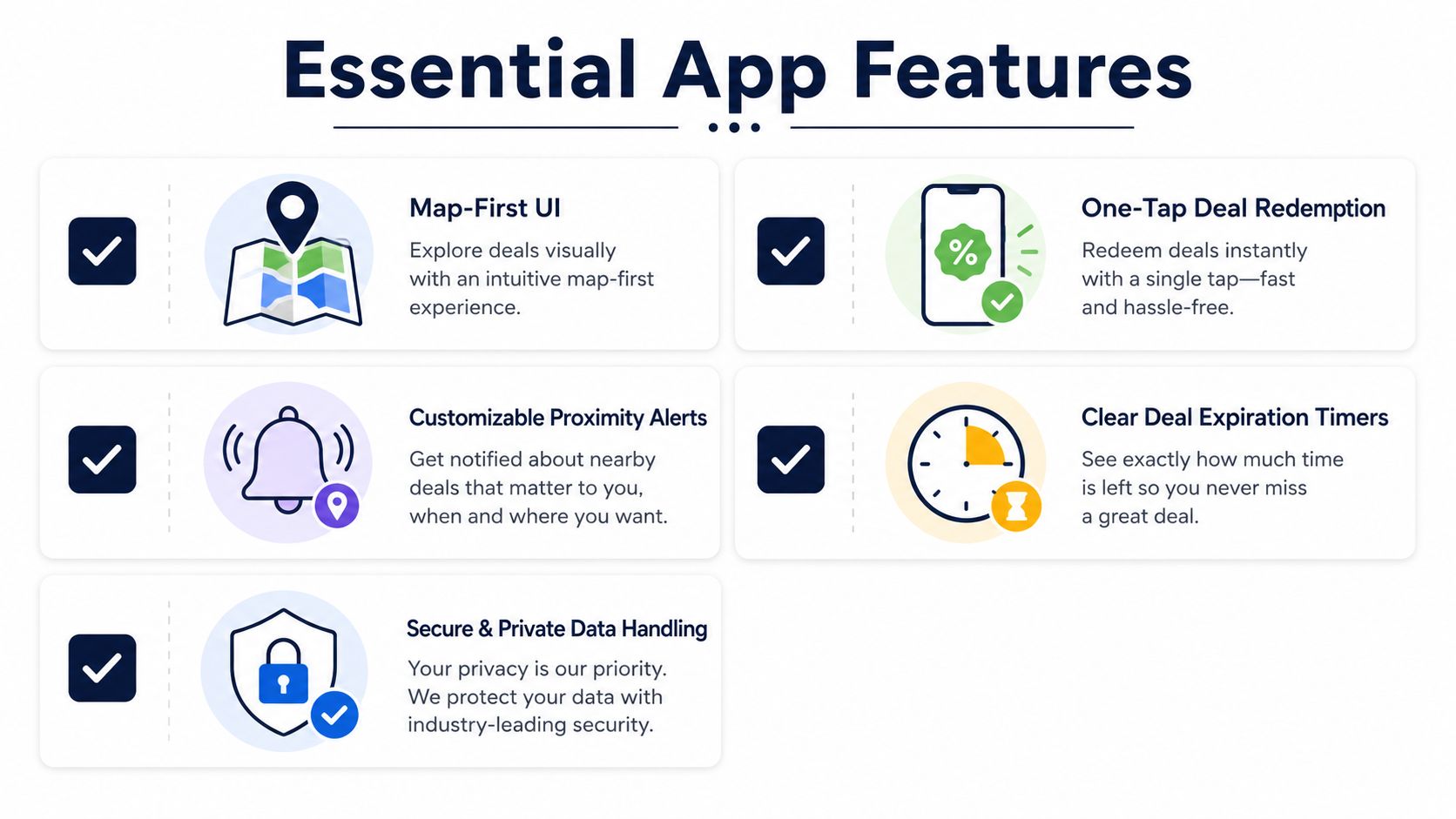
A quick checklist helps separate the useful apps from the noisy ones:
- Map-First UI: Look for visual browsing that makes nearby options obvious without scrolling through walls of text.
- One-Tap Deal Redemption: The fewer steps between finding and using a deal, the less likely you are to abandon it.
- Customizable Proximity Alerts: Radius controls should match your context, not force a one-size-fits-all neighborhood.
- Clear Deal Expiration Timers: If the app won't tell you when an offer ends, it's not helping you make a real-world decision.
- Secure and Private Data Handling: Location-aware apps should feel helpful, not invasive, especially when you use them often.
That checklist is what separates a convenience tool from another cluttered coupon folder.
<a id="traditional-coupon-apps-versus-map-first-progressive-web-apps"></a>
Traditional Coupon Apps Versus Map-First Progressive Web Apps
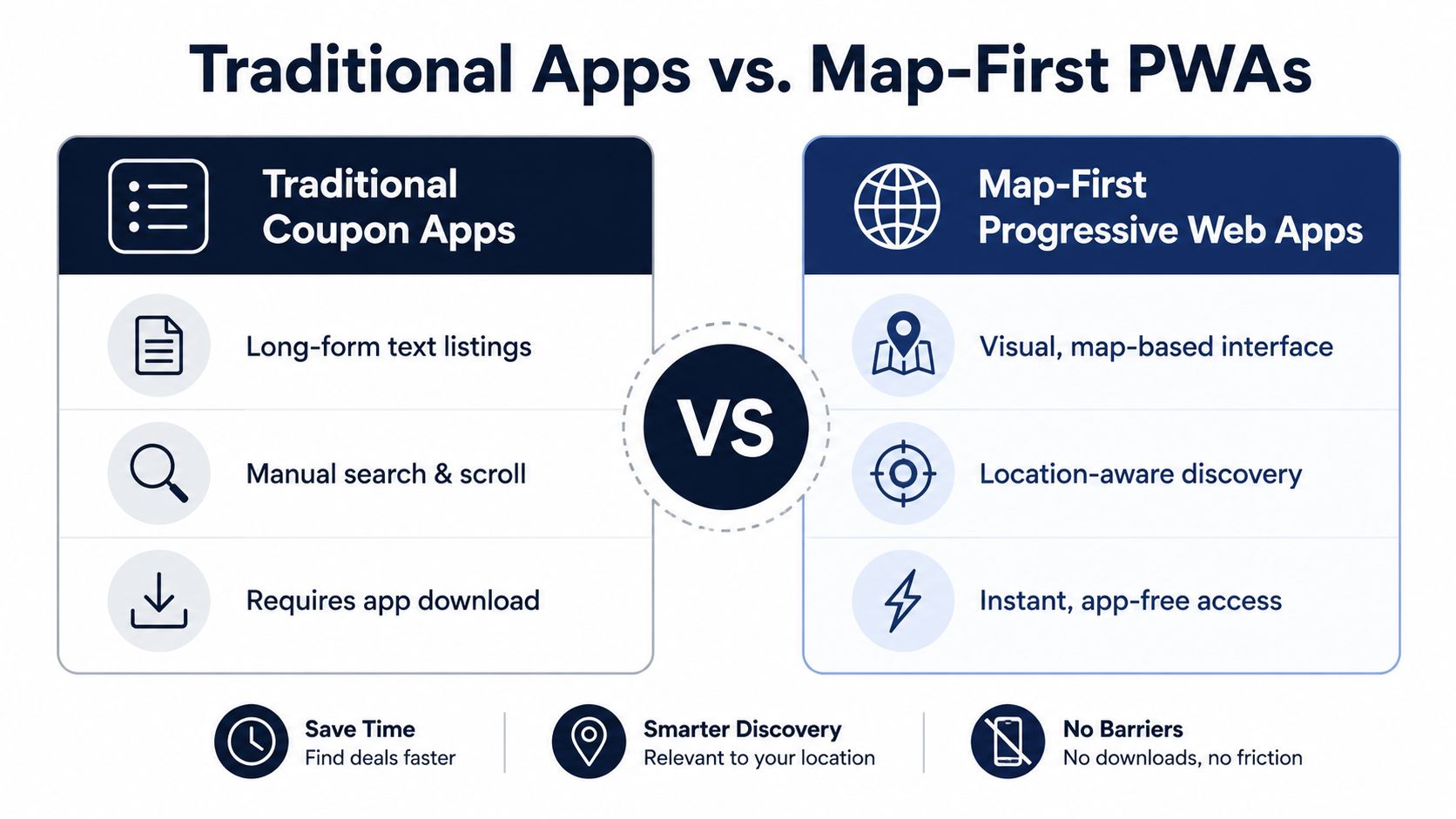
Traditional coupon apps are built for browsing. They lean on long-form listings, stacked categories, and static collections that work fine if you are sitting at home with time to compare. The problem shows up the moment you are in transit. You end up reading more, tapping more, and sorting through more options in your head, which is the wrong shape for a quick stop.
Map-first progressive web apps take a different path. They center visual, location-aware discovery and quick access, so users can see nearby options and move toward one without installing a heavy native app first. That makes them a better fit for commuters, drivers, and travelers who do not want to spend extra time learning an interface just to save a short detour. For a closer look at the delivery side of that choice, see a comparison of PWA versus native app trade-offs.
There is a real trade-off. Traditional apps may offer broader merchant coverage and familiar sorting patterns, while map-first PWAs can feel more focused and immediate but sometimes rely on a tighter merchant network. The right choice depends on context. If you are at home searching through a stack of coupons, the older model still has value. If you are already driving past a cluster of shops, the map-first model is easier to use and asks less of your attention.
Retention patterns in shopping apps help explain why that split matters. Adjust's day-1 to day-30 drop-off, along with the cart abandonment numbers noted earlier, show how quickly interest fades when the experience drags. A local shopping app that puts proximity, timing, and low-friction navigation first has a structural advantage because it shortens the path from intent to action.
<iframe width="100%" style="aspect-ratio: 16 / 9;" src="https://www.youtube.com/embed/xT2Dv_pNLtc" frameborder="0" allow="autoplay; encrypted-media" allowfullscreen></iframe>A simple rule works here. Browsing apps help you plan. Map-first apps help you act.
<a id="the-real-impact-of-shopping-locally-on-communities-and-wallets"></a>
The Real Impact of Shopping Locally on Communities and Wallets
The personal savings story matters, but the community side matters too. One community-business article cites research showing small businesses generate $68 of local economic return for every $100 spent, and that businesses with fewer than 500 employees account for 99.7% of all U.S. employers. Those numbers explain why local-deals behavior isn't just about shaving a few dollars off a grocery run. It changes where money circulates, which merchants stay visible, and which neighborhood stores keep getting traffic.
That's also why “local” needs a practical definition, not a vague one. Consumer behavior has already moved toward neighborhood retail discovery, and one retail article says 9 out of 10 shoppers define shopping local as buying within their neighborhoods, cities, or within a 15-mile radius of home. A good app has to match that expectation by letting people adjust how far they're willing to scan. A strict one-mile view can be great for lunch breaks. A wider radius makes more sense when you're planning weekend errands or trying to consolidate stops.
The trust problem sits underneath all of this. A map can show proximity, but it doesn't automatically prove the shop is open, the deal is still live, or the payment options work. Independent research on bodega online grocery services found that both owners and customers wanted multiple payment types, including SNAP online, along with low fees and broader outreach, which tells you that price is only part of the decision. Mobile-commerce research also points to the value of real-time inventory information, store hours, location and service details, and no-account checkout, all of which reduce the risk of making a wasted trip. Those are the details that decide whether a nearby offer is helpful or just noisy.
If a deal can't answer “is it open, is it available, and can I pay?”, it's not really a local deal yet.
That's the bigger shift. Local shopping apps work best when they don't just advertise convenience, but prove operational certainty before you leave the car.
<a id="practical-tips-for-getting-the-most-from-local-shopping-apps"></a>
Practical Tips for Getting the Most from Local Shopping Apps
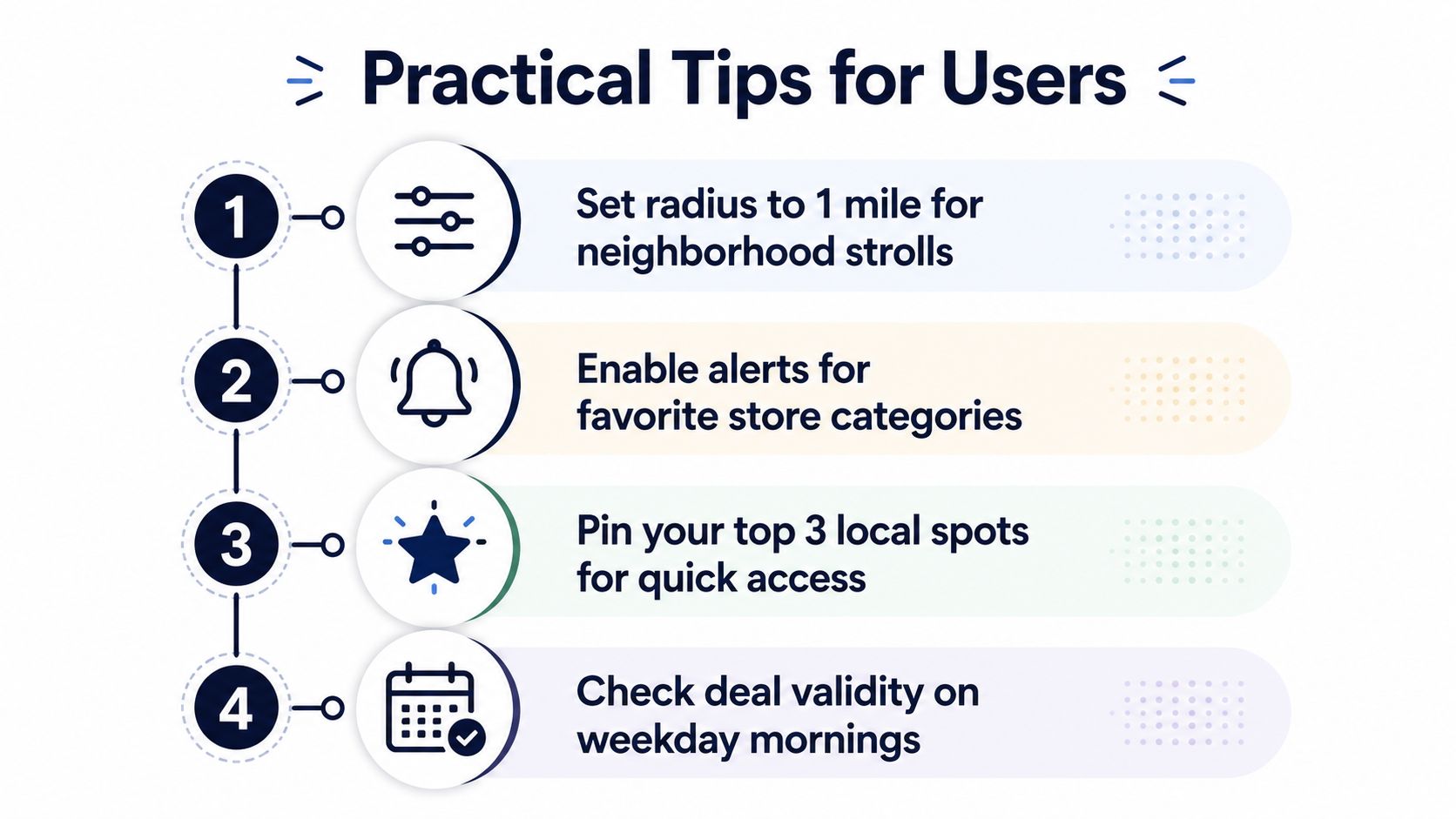
Set the radius to match the trip, not your mood. For a neighborhood walk or a fast coffee stop, keep it tight. For road trips, cross-town errands, or unfamiliar cities, widen it so you don't miss useful stops just outside the immediate block. The point is to make the app reflect your real route, not an abstract ideal of local.
Use the app the way commuters move through space. Add it to the home screen so it opens in a more full-screen, app-like mode, then use tap-to-route behavior instead of bouncing between screens. If the app supports location corrections while you travel, update the city when you cross into a different area so the results don't lag behind your location. For a more practical walkthrough of that pattern, the shop-local app guide is useful background.
A few habits make the experience much smoother:
- Pin your favorite store categories: You'll spend less time searching when you already know the kinds of stops you care about.
- Watch short-form deal feeds early in the day: Time-sensitive offers are easier to use before your route gets crowded.
- Save deals you might revisit later: A quick shortlist beats trying to remember a random offer after the fact.
- Treat notifications as filters, not entertainment: Too many alerts turn a useful app into background noise.
Privacy and safety matter just as much as speed. Use the map to reduce decision time, but don't let the app push you into constant screen checking while driving. The best in-motion experience is the one that helps you glance, decide, and move on.
<a id="why-airpog-delivers-the-map-first-experience-shoppers-need"></a>
Why AIR.POG Delivers the Map-First Experience Shoppers Need
AIR.POG fits the map-first pattern better than the old coupon-list model. It uses OpenStreetMap and CARTO tiles for a live map view, lets you route to a venue with one tap, supports adjustable scanning radius, and works as a progressive web app so you can launch it quickly without app-store friction. It also adds POG REELS for short, time-sensitive offers, POG'ODEX for organized browsing, Ask AIR.POG for in-app guidance, and POGZILLA for automated nearby discovery.
That combination matters because it matches the way people use local shopping apps in motion. The interface is built for quick checks, short sessions, and low-distraction decisions, which is what commuters, drivers, and quick-stop shoppers need most. If you want one tool that reflects the practical trade-offs covered above, AIR.POG is a straightforward place to start.
If you're tired of scrolling stale coupon lists, try a map-first approach that shows nearby deals and gets you moving faster. Visit AIR.POG and see how a local shopping app can feel when it's built for real-world stops, not just long browsing sessions.
Spread the word — every share brings more POG'rs to the map. 🎯
Got a story or tip?
