 For Everyone
Nearby Deals Explained: How to Find Live Local Offers Fast
by AIR.POG Team
You're standing in a parking lot, the engine's still warm, and your phone shows a pin two blocks away with a deal that ends soon. One tap, the route opens, and the offer is in your pocket before you've had time to second-guess it. That's the shape of nearby deals in 2026, not a pile of coupons, but a map-driven decision that turns location into timing.
The reason this format matters is simple. Shoppers already hunt for savings online, but the search is often short, fragmented, and pressure-filled, especially when the coupon may only work about 10% to 30% of the time, according to the Statista figures summarized in Retail Dive's coverage of proximity-based deal discovery. Mobile deal mapping has been around long enough to prove the idea at scale, with one early app aggregating more than 350,000 local deals across the United States and Britain, a sign that location-aware offers were already becoming a real shopping layer as mobile commerce matured. Retail Dive's report on nearby local deal mapping shows why speed and proximity now matter together.
Table of Contents
- What Nearby Deals Actually Mean
- Why Proximity and Timing Change the Value of a Deal
- How Map-First Discovery Works Behind the Pin
- Nearby Deals vs Traditional Coupon Apps
- Inside AIR.POG and Its Live Discovery Features
- Choosing the Right Scan Radius for Your Trip
- Reading Live Offers With a Critical Eye
- Building a Daily Nearby-Deals Habit
<a id="what-nearby-deals-actually-mean"></a>
What Nearby Deals Actually Mean
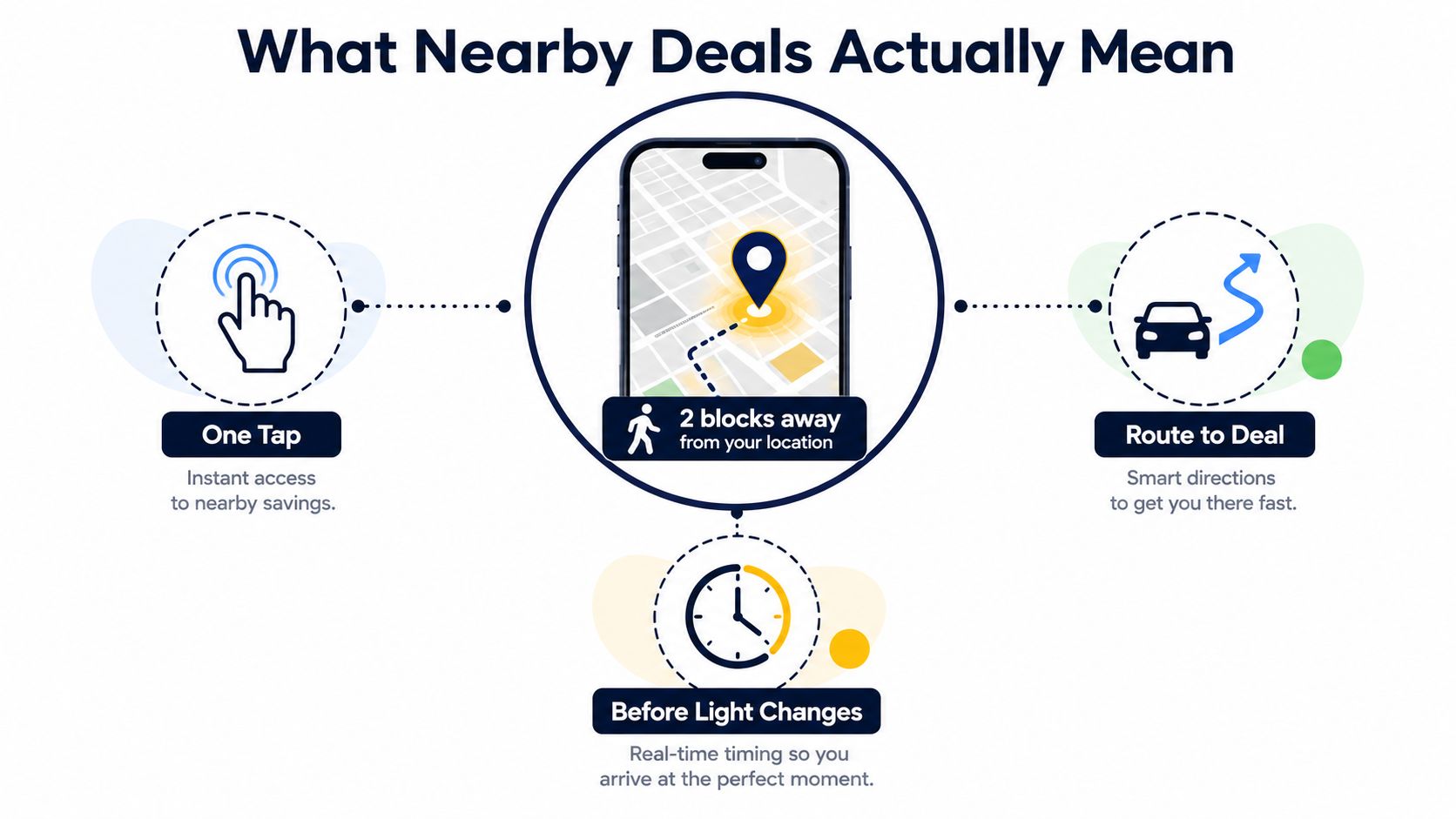
A driver glances at the map, sees a glowing pin two blocks away, taps once, and starts routing before the traffic light changes. That sequence is the clearest way to understand nearby deals. The value is not just that the offer exists, it's that the offer is close enough, fresh enough, and easy enough to act on while the user is already in motion.
A printed coupon clipped at home works on a different logic. So does a weekly email blast with a giant list of promotions. Those formats ask the shopper to sort through everything first, then figure out whether the savings still make sense once they're already out the door.
Nearby deals behave more like a live layer on the map. The offer sits inside a route, a neighborhood, or a short errand window, and the user judges it by whether they can reach it while the trip still makes sense. That's why this format is less about collecting offers and more about making a fast, spatial yes-or-no decision.
Practical rule: if the promotion can't survive the trip from “noticed” to “visited,” it isn't really a nearby deal yet.
<a id="why-proximity-and-timing-change-the-value-of-a-deal"></a>
Why Proximity and Timing Change the Value of a Deal
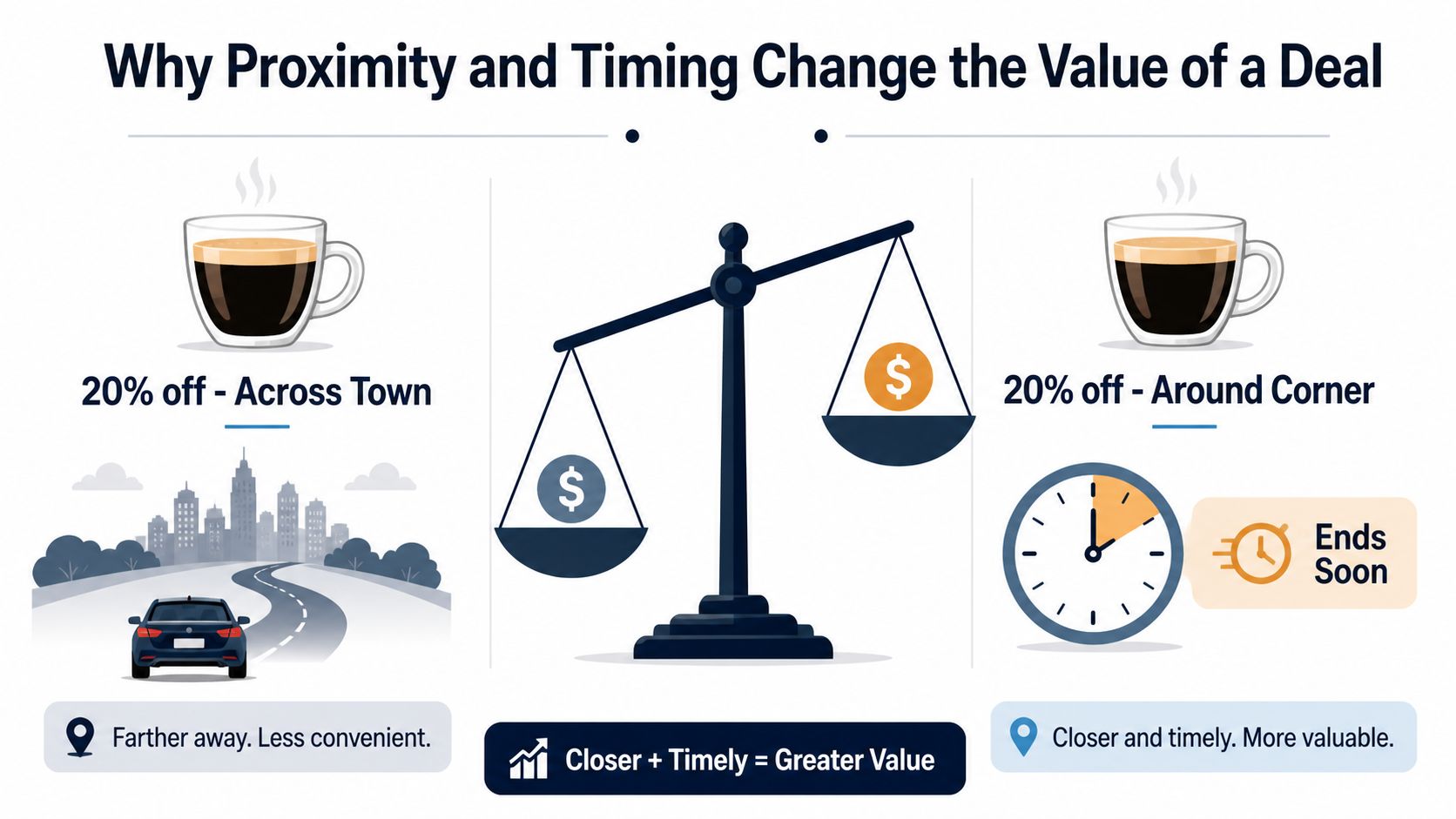
Two coffee shops can offer the same discount and still feel totally different. One is across town, the other is around the corner and ends in forty minutes. Same headline. Very different value.
<a id="distance-changes-the-real-price"></a>
Distance changes the real price
A deal only looks cheap if the trip to get it doesn't erase the savings. Fuel, parking, time, and decision fatigue all sit in the background, even when nobody writes them on the sign. A smaller discount close to your current path often beats a bigger one that pulls you out of the way.
That's why a map matters more than a list. A list just says what exists. A map sorts offers by whether they fit the user's current location and direction of travel.
<a id="recency-changes-trust"></a>
Recency changes trust
A promotion posted recently feels more actionable than one that might already be stale. In a nearby-deals workflow, the clock matters almost as much as the pin. If the offer disappears before the user gets there, the app has created noise, not value.
<a id="venue-context-changes-usefulness"></a>
Venue context changes usefulness
A gas station snack, a lunch special, and a weekend salon discount all live in different decision windows. Even when the headline savings look similar, the user's immediate intent decides whether the offer is useful. That's the part most coupon feeds miss.
A nearby offer is only useful when it matches the user's route, not just their appetite for saving money.
<a id="how-map-first-discovery-works-behind-the-pin"></a>
How Map-First Discovery Works Behind the Pin
A map-first deal experience starts with location, then strips away anything that doesn't help the user decide fast. The app gets the current position, filters offers by radius, and uses pins so the screen stays readable when there are many nearby options. At city zoom, clustering keeps the map from turning into a mess of overlapping markers. At street zoom, individual pins take over because the user needs precision, not a summary.
<a id="the-pin-is-only-the-first-step"></a>
The pin is only the first step
Tapping a pin should do more than reveal a name. The best pattern is a card with the offer summary and a route action sitting right next to it. That keeps the user moving from discovery to action without jumping through a list, a search page, and a separate navigation app.
<a id="base-maps-do-a-quiet-but-important-job"></a>
Base maps do a quiet but important job
Open mapping data and tile layers matter because they shape how clearly the map works across devices. OpenStreetMap and CARTO are common open choices in location-aware apps, and their value is practical, not decorative. They give the interface a stable geographic foundation and help the experience feel consistent whether it's viewed on a small phone screen or a larger browser window.
A telescope is a decent analogy here. Zoomed out, you need the wider picture. Zoomed in, you need the exact target. Map-first discovery works the same way, because the tool has to support both scanning and routing without making the user think about the interface.
This nearby-deal finder app example shows how a map can act as the homepage instead of a side feature. That choice changes the whole workflow, because the first thing users see is relevance, not categories.
<a id="nearby-deals-vs-traditional-coupon-apps"></a>
Nearby Deals vs Traditional Coupon Apps
Static coupon apps, search-driven deal sites, and live map-first tools all solve different jobs. The mistake is treating them like substitutes when they're really designed for different moments.
<a id="static-apps-are-for-planning-not-motion"></a>
Static apps are for planning, not motion
A coupon app that piles barcode offers into folders can work fine when someone is sitting at home with a shopping list. The problem starts when the user is already out, because that format makes them browse first and search later. It's organized, but it's slow.
<a id="search-driven-lists-are-good-at-comparison"></a>
Search-driven lists are good at comparison
Deal sites that rank by popularity or savings help when the shopper already knows what they want and wants to compare options. They're useful for planned purchases, especially when price is the main variable. But they still force the user to do the spatial work manually, which makes them awkward for quick stops.
<a id="live-map-first-discovery-is-built-for-the-in-between-moment"></a>
Live map-first discovery is built for the in-between moment
A live map wins when the user is already moving through the city, on a commute, or killing time between errands. The map compresses search, evaluation, and routing into one sequence, which is the key advantage over long coupon directories. It's the difference between reading a bulletin board and glancing at traffic lights.
Progressive web app delivery makes that even more practical, because the experience can launch instantly from a home screen without feeling like a heavyweight install. That matters for short sessions, where nobody wants a download screen slowing down a one-minute decision.
<a id="inside-airpog-and-its-live-discovery-features"></a>
Inside AIR.POG and Its Live Discovery Features
AIR.POG is built around the idea that a deal should be something you can see, judge, and route to without losing momentum. The map centers on the user's location or a selected city, so the first screen already feels local. From there, the scanning radius can be adjusted, and a tap on a pin can move directly into routing, then into the offer details with one follow-up tap.
<a id="the-map-reels-and-index-each-do-a-different-job"></a>
The map, reels, and index each do a different job
POG REELS works like a short-form feed for live sales and time-sensitive finds. POG'ODEX acts more like a browsable index for people who want to look beyond the map view. Ask AIR.POG is there for quick guidance inside the experience, which helps when a user wants an answer without leaving the app.
POGZILLA adds a more automatic layer. It acts like a scout that surfaces notable finds as the user moves, which is especially useful when someone is driving through unfamiliar neighborhoods and doesn't want to keep searching manually.
<a id="small-usability-touches-matter-more-than-people-think"></a>
Small usability touches matter more than people think
Location correction helps when GPS is off or the city guess is wrong. The add-to-home-screen prompt matters too, because it gives the whole thing a full-screen, app-like feel without turning the session into a store-install chore. Those details don't look flashy, but they make the workflow feel less like browsing and more like using a tool that's aware of where you are.
The strongest location apps don't ask users to learn a new ritual, they fit into the route the user already has in mind.
<a id="choosing-the-right-scan-radius-for-your-trip"></a>
Choosing the Right Scan Radius for Your Trip
The scan radius is one of the easiest parts of a nearby-deals tool to misunderstand. Too narrow, and the map looks empty. Too wide, and the user starts seeing offers that are technically local but practically out of the way.
<a id="start-with-the-trip-not-the-number"></a>
Start with the trip, not the number
Nextdoor's local-deal workflow uses a default 2-mile radius for neighborhood targeting, which is a useful baseline for short local errands and dense areas. Nextdoor's local-deal workflow video shows that radius as a practical neighborhood setting, while also allowing businesses to expand outward. That's the right mental model, because the radius should follow intent, not pride.
A tighter radius usually works best when the user is walking, already close to the destination, or making a stop between two known points. A wider radius makes more sense when the trip is planned and the user has room to detour.
<a id="use-density-as-a-guide"></a>
Use density as a guide
Urban areas can support a tighter search because there are more candidates per block. Suburban and spread-out areas often need a wider scan just to show enough useful options. That's why a good deal map doesn't lock users into one radius forever, it lets them tune the view to the territory.
A simple rule helps: start narrow, widen only when the map feels empty, then narrow again when you enter a specific neighborhood. That keeps the search from turning into a distraction. It also keeps the user from spending attention on offers they'll never reach.
<a id="reading-live-offers-with-a-critical-eye"></a>
Reading Live Offers With a Critical Eye
The fastest way to waste a good map is to assume every pin is a good buy. Closest doesn't automatically mean cheapest, and cheap on the headline doesn't always mean cheap at checkout.
<a id="the-headline-has-to-be-supportable"></a>
The headline has to be supportable
UK advertising guidance says marketers need evidence for objective claims, including price claims that must include all non-optional fees and charges or explain how excluded fees are calculated if they can't be known in advance. CAP guidance on misleading advertising makes the point clearly. If a local offer says something is discounted, the seller has to be able to back it up.
U.S. advertising standards make the same basic demand. Kelley Drye's summary of advertising and marketing standards explains that objectively provable claims need competent and reliable evidence, and that qualifying information should sit close to the claim it modifies. That matters on a deal card, where a buried condition can change the value of the offer.
<a id="read-the-details-before-you-route"></a>
Read the details before you route
A live offer can still be a bad stop if the conditions are wrong. Service fees, taxes, minimum spends, time windows, and venue-specific add-ons can all change the price. If the fine print sits far away from the headline, pause.
- Check the clock: A deal that expires before your arrival is a detour, not a discount.
- Check the radius: A nearby pin that's off your route may be local on paper and inconvenient in practice.
- Check the total cost: Taxes and add-ons can erase the advantage fast.
- Check the comparison: If the app says “best” or “cheapest,” the underlying comparison should be clear and relevant.
User-submitted finds and creator posts need extra care too. The FTC's guidance on endorsements says material connections, like payment, free merchandise, or affiliate credit, need clear disclosure close to the claim, so people know why the recommendation is appearing. FTC guidance on endorsements and testimonials is a useful reminder that a deal can be exciting and still need disclosure.
This guide to local restaurant coupons is a useful companion if you want to compare nearby dining offers with a sharper eye for hidden costs and timing.
<a id="building-a-daily-nearby-deals-habit"></a>
Building a Daily Nearby-Deals Habit
A good nearby-deals habit is small, repeatable, and boring in the best way. Check the map before you leave. Tighten the radius to match the trip. Let the feed show you what's already on your route instead of making you hunt across town.
<a id="keep-the-habit-tied-to-movement"></a>
Keep the habit tied to movement
Use short browsing sessions when you're bored in transit, not long scrolling sessions that turn savings into a time sink. Let a scout-style feed surface surprises as you move, but don't treat every alert as a command. The point is to stay opportunistic without becoming distracted.
The three filters still do the core work here: proximity, recency, and venue relevance. If an offer fails one of those, it probably doesn't deserve your attention. That mindset shift changes deals from a static folder into a live layer on top of the map you're already using.
For readers who like turning good habits into repeatable wins, this guide to earning POG points adds a practical loyalty angle to the same everyday behavior.
AIR.POG brings map-first nearby deal discovery into one place, with live offers, direct routing, and a workflow built for quick decisions on the move. If you want a cleaner way to spot local savings without digging through scattered coupon lists, visit AIR.POG and see how the map experience changes the way nearby deals feel in real time.
Spread the word — every share brings more POG'rs to the map. 🎯
Got a story or tip?
