 For Everyone
Location Based Coupons: How They Work and Where to Find Them
by AIR.POG Team
39% of on-the-go consumers want nearby-store coupons on mobile devices, and 51% of UK grocery shoppers prefer receiving a coupon before entering the supermarket rather than after they're already inside. Location based coupons work best when they reach you at the right moment, not merely when you're closest to a store.
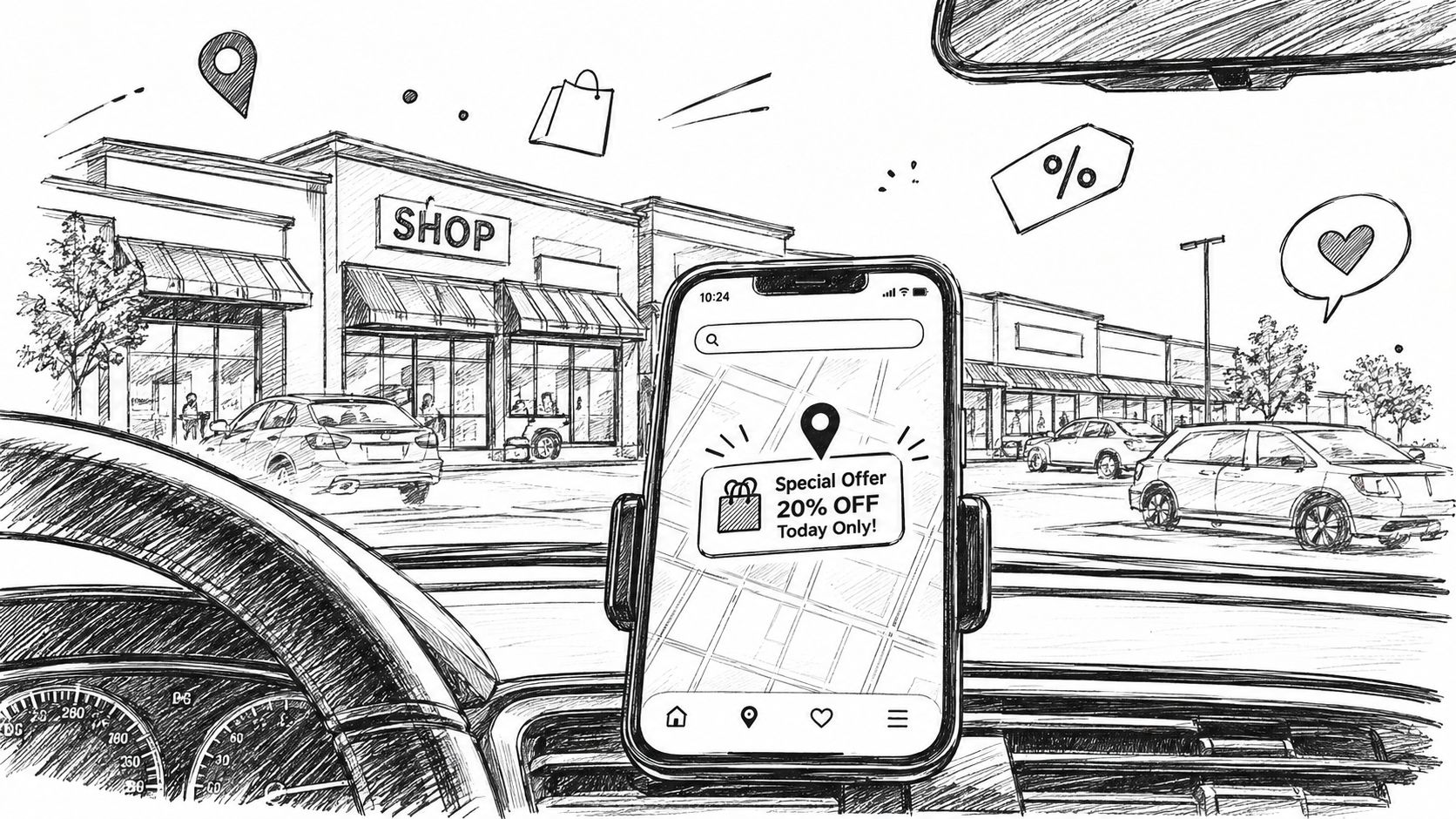
You're driving past an unfamiliar strip mall when a coffee shop sign catches your eye. Your phone shows a nearby offer before the storefront disappears behind you. That offer is a location based coupon, a digital deal delivered to your phone based on where you are or where you're about to be.
The idea sounds simple, but several systems work together behind the scenes. Your phone estimates its position, an app checks nearby offers, and a store or platform decides whether the timing makes sense for an alert. The result might appear as a notification, a map pin, an in-store prompt, or a coupon you manually discover.
The useful question isn't only “How close is the deal?” It's also “Can I act on it now?” Proximity, timing, permissions, privacy, and interface design all shape whether a nearby offer helps or annoys you.
Table of Contents
- What Location Based Coupons Actually Are
- How Your Phone Knows Where You Are
- Geofencing, Beacons, and Other Detection Methods Compared
- Why Timing Beats Pure Proximity
- Location Permissions and How to Control Them
- Privacy Tradeoffs Worth Thinking About
- Finding Nearby Deals in Practice with AIR.POG
- Habits That Make Location Based Coupons Work for You
<a id="what-location-based-coupons-actually-are"></a>
What Location Based Coupons Actually Are
Imagine cruising along a road you've never taken. You pass a shopping plaza, notice a bakery you didn't know existed, and your phone presents an offer for that bakery. You didn't search for it, open a loyalty account, or scroll through a generic email. The offer appeared because your location made it relevant.
That's the basic difference between location based coupons and ordinary digital promotions. A standard email may target your inbox because you subscribed. A social advertisement may reflect your browsing activity or demographic profile. A location based coupon uses geography as a central signal, showing an offer because you're near a business or moving toward an area where the deal could be useful.
<a id="the-offer-can-appear-in-several-ways"></a>
The offer can appear in several ways
A retailer might send a notification when you enter an invisible boundary around a store. An app might show nearby deals on an interactive map before you arrive. A merchant could apply a discount after you check in, or a Bluetooth transmitter inside a shop could trigger an offer near a particular display.
The delivery method changes the experience. A notification interrupts you. A map lets you choose. An in-store trigger can support a purchase you've already started, but it may arrive too late to influence where you shop.
Consumer interest in this idea has existed since the early mobile era. In a 2011 Prosper Mobile Insights survey, 67.0% of mobile consumers described location-based coupons as convenient and useful, while 44.8% reported security concerns about being tracked, as documented by MarketingProfs' summary of the survey. The same survey found that 25.6% were open to receiving coupons when near a store, 51.1% preferred mobile email, and 81.9% were open to receiving coupons on a smartphone or tablet in some form.
The central tradeoff: a nearby deal feels helpful when it reduces effort, but it feels invasive when the user doesn't understand what location data supports it.
This guide follows that tradeoff from the phone's location signal to the moment you redeem an offer. It also shows how a map-first product such as AIR.POG can make nearby deals visible before you've committed to a stop.
<a id="how-your-phone-knows-where-you-are"></a>
How Your Phone Knows Where You Are
Before an app can show a nearby deal, your phone needs an estimate of its position. Think of the process as asking several people for directions, then trusting the answer that seems most reliable in the circumstances.
<a id="step-one-is-the-location-estimate"></a>
Step one is the location estimate
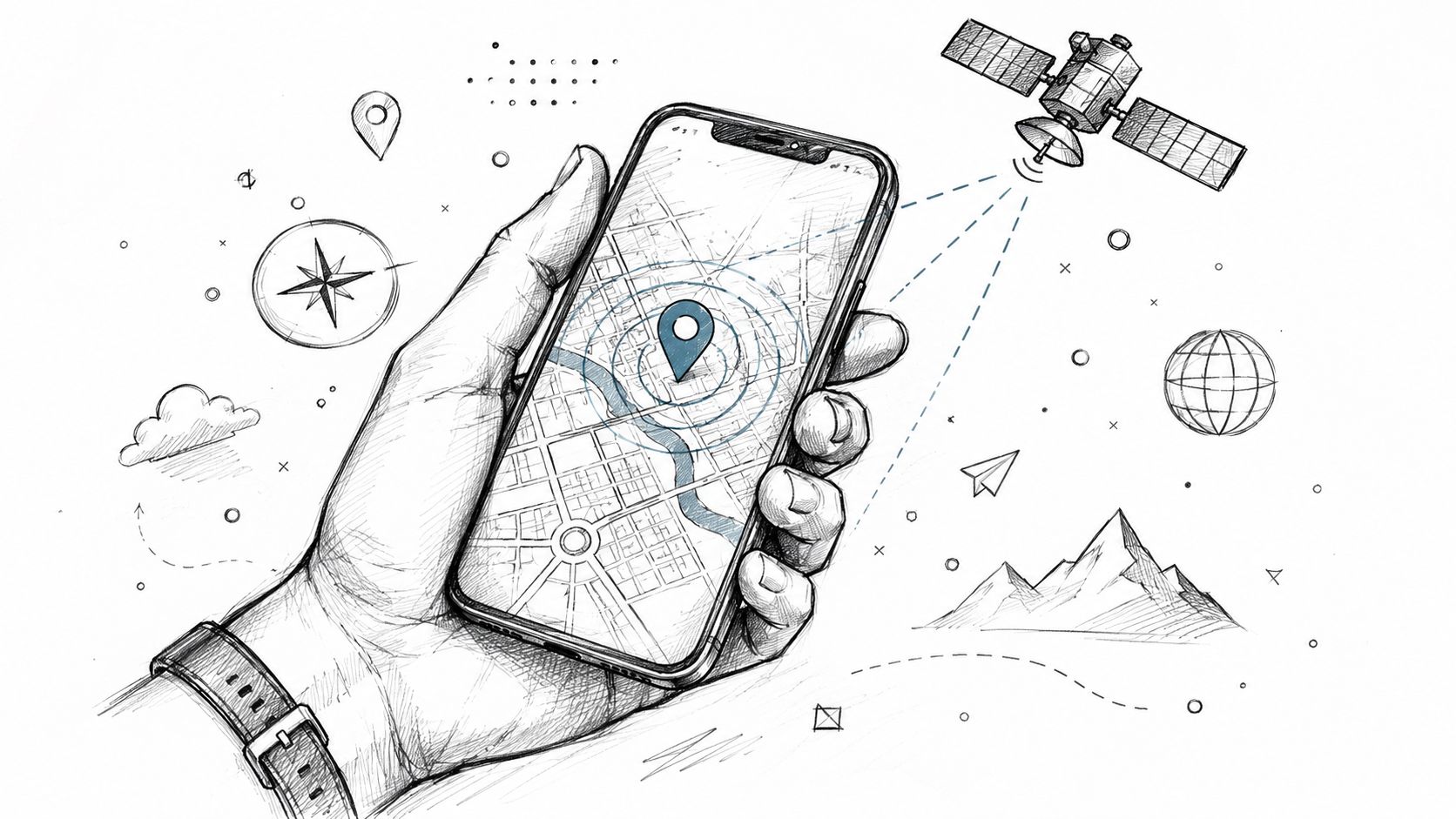
Outdoors, GPS usually provides the clearest signal. Your phone receives satellite signals and calculates a position from them. GPS can be precise, but repeated background checks may use more battery than a single manual lookup.
Inside a shopping center, satellite signals can weaken. The phone may combine information from cellular towers, nearby Wi-Fi networks, and Bluetooth signals. Cell towers provide a broader estimate. Wi-Fi can help identify an indoor setting. A Bluetooth beacon can provide a highly local signal, but only where a retailer has installed the hardware.
The operating system and app then combine available signals and assign confidence to the result. That's why a coupon may appear reliably on an open street but arrive late inside a dense mall, or fail to trigger when the phone can't establish a dependable position.
<a id="step-two-is-the-invisible-boundary"></a>
Step two is the invisible boundary
A retailer can draw a virtual boundary around a store, road, neighborhood, or shopping district. That boundary is called a geofence. When the phone appears to cross it, the app can check whether an offer should be displayed.
The boundary isn't magic. It depends on the quality of the location estimate, the app's access to that estimate, the phone's battery settings, and the merchant's trigger rules. A geofence that's too broad may notify people who are only passing through. One that's too narrow may miss shoppers who would have stopped.
<a id="step-three-is-permission"></a>
Step three is permission
The phone won't share location with an app unless the user grants access. Depending on the operating system and app design, permission may apply only while the app is open or may allow background checks. That choice affects whether a deal can find you while you're moving or only after you deliberately open the app.
IP-based detection and Wi-Fi information can provide a rough fallback, especially for a selected city or general area. They usually aren't precise enough by themselves for a storefront-level trigger.
<a id="geofencing-beacons-and-other-detection-methods-compared"></a>
Geofencing, Beacons, and Other Detection Methods Compared
Different detection methods solve different location problems. A drive-by coffee offer needs broad outdoor coverage and sensible timing. A museum promotion tied to one exhibit needs much tighter indoor precision.
Geofencing creates a virtual perimeter around a physical area. GPS or cellular data can indicate that a phone has entered the perimeter, allowing an app to check for an offer. Geofencing is flexible because a retailer can define boundaries around a store, plaza, or district without installing equipment at every point.
Beacons work at a smaller scale. A Bluetooth transmitter can sit near a shelf, entrance, or exhibit and communicate with nearby phones that have the necessary Bluetooth and app permissions. Beacons can be useful indoors, but they require merchant hardware, maintenance, and compatible device behavior.
Wi-Fi and IP-based methods provide a broader estimate. They can help identify a city, building, or network environment, but they generally lack the precision needed to distinguish adjacent storefronts.
<a id="detection-methods-side-by-side"></a>
Detection Methods Side by Side
| Method | Typical Accuracy | Best Use Case | Main Limitation | |---|---|---|---| | Geofencing | Area-level location based on GPS or cellular signals | Drive-by offers, store catchments, and shopping districts | Accuracy varies with signal quality and boundary design | | Bluetooth beacons | Very local indoor proximity | Displays, entrances, exhibits, and aisle-level prompts | Requires installed hardware and supported Bluetooth access | | Wi-Fi or IP detection | Broad network or area estimate | City-level discovery and rough regional targeting | Usually too coarse for precise storefront triggers |
The method also changes the privacy conversation. A one-time map lookup gives the user control over when location is checked. Background geofencing can be more convenient, but it may require ongoing access. A beacon interaction may be narrowly tied to a physical space, while a poorly designed system could still connect that interaction with an identifiable account.
The right design matches the user's intent. A regional sale doesn't need surgical precision. A coupon for one display does.
<a id="why-timing-beats-pure-proximity"></a>
Why Timing Beats Pure Proximity
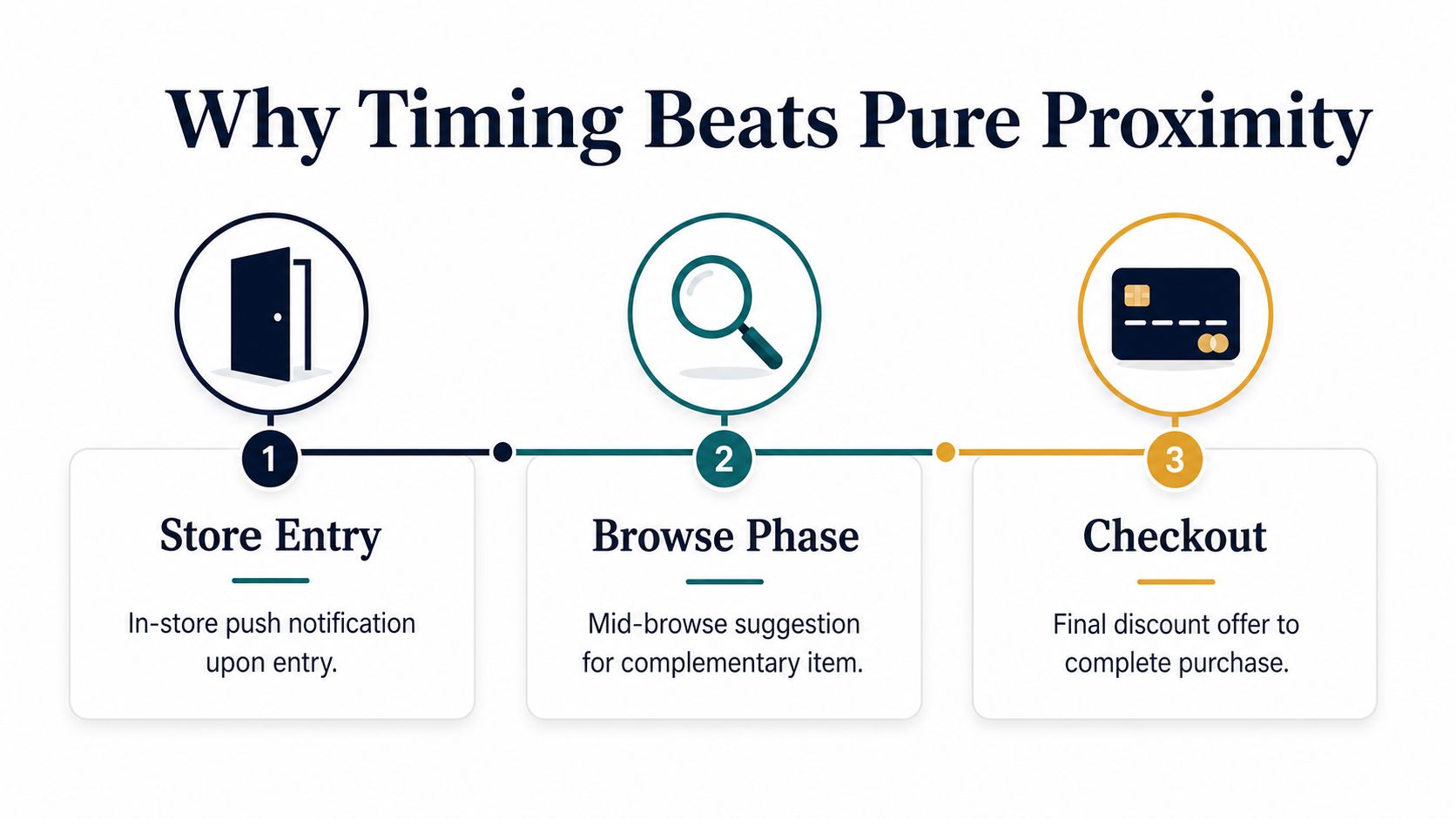
A coupon delivered at the store entrance isn't automatically useful. By then, the shopper may have chosen the retailer, entered the building, and made the decision the promotion was meant to influence.
Research on location-based coupon interfaces found that 51% of UK grocery shoppers were comfortable receiving a mobile coupon before entering a supermarket, while only 8% wanted one while already inside, according to the field evidence summarized in the SSRN research paper. The difference points to a practical design principle: a shopper often needs an offer while deciding whether to stop, not after the stop has already happened.
A pre-arrival offer can help someone choose a route, compare a nearby business, or decide whether an unplanned purchase fits the budget. An in-store message competes with shelves, queues, companions, and the user's existing plan. Both can be relevant, but they serve different moments.
<a id="common-timing-failures"></a>
Common timing failures
A freeway alert may arrive when the driver can't safely pull over or change direction. A mall notification may fire after the shopper has entered through a different entrance and committed to another store. A deal shown several blocks away may be more actionable than one triggered at the exact storefront.
The evidence supports this timing-sensitive view. A geo-conquesting field experiment reported that mobile push delivery increased coupon redemption rates by 6.0%, with the effect varying according to app usage experience and store density, as described in the study on location coupons. Its proposed mechanism was search-cost reduction. Push works when it saves the user effort, but it adds less value when a familiar app already makes searching easy.
A map-first interface exposes that pre-arrival window visually. Instead of waiting for a boundary crossing, you can see what lies ahead and decide whether the offer fits your route. Nearby deal discovery works best when the map helps you plan before arrival rather than interrupting you after the decision.
<a id="location-permissions-and-how-to-control-them"></a>
Location Permissions and How to Control Them
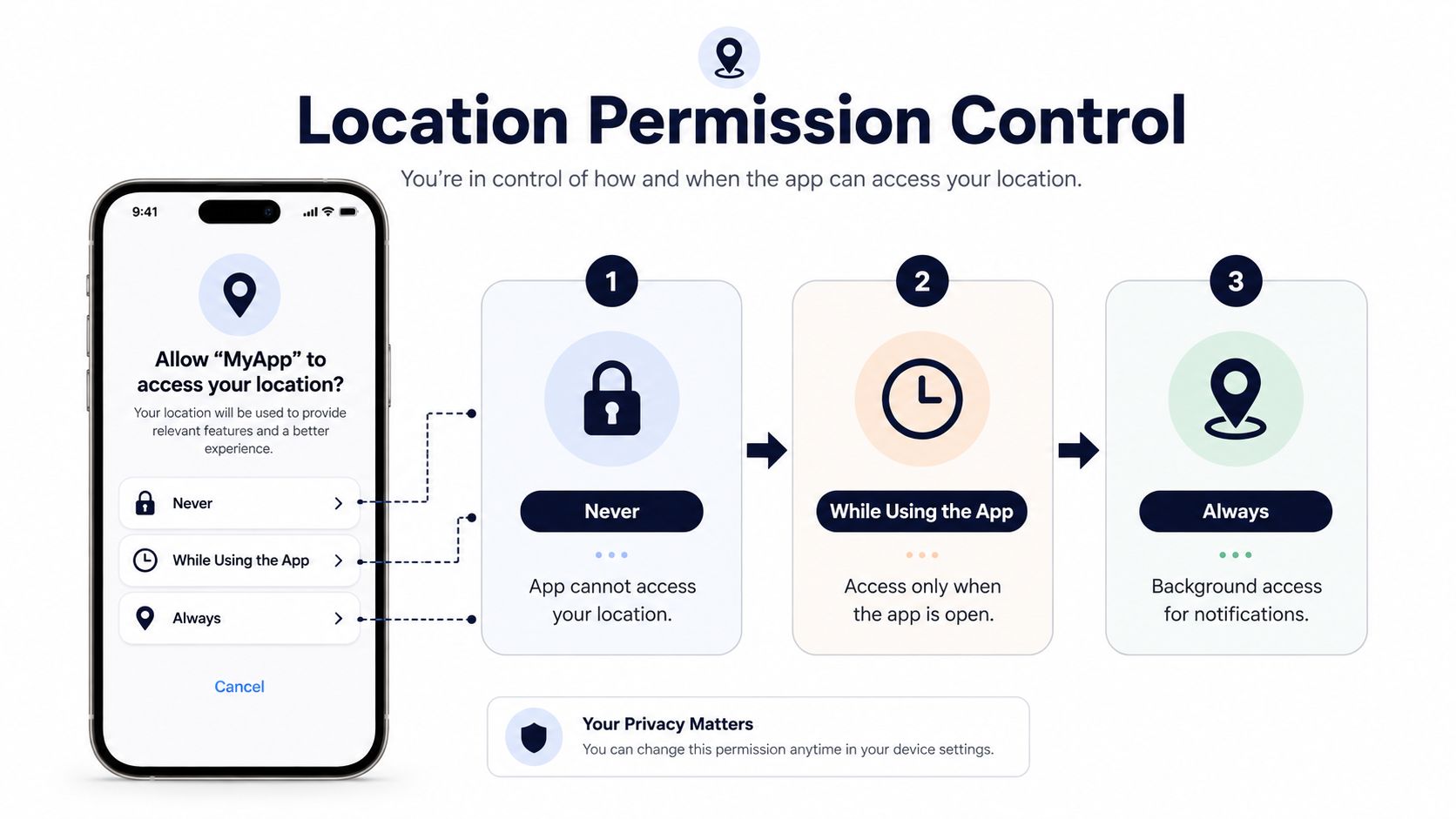
Permission settings decide how much location access an app receives and when it can use it. The labels differ slightly by device and operating-system version, but the basic choices are familiar.
<a id="what-the-common-choices-mean"></a>
What the common choices mean
Never blocks the app from accessing your location. You can still open a deal service and search manually if it supports that function, but the app can't check where you are.
While Using the App allows access when the app is open and active. This option suits people who want a map centered on their current position without allowing background checks after closing the app.
Always permits background access where the operating system supports it. That can enable notifications while the app is closed, but it also gives the service a broader opportunity to request location updates.
On modern devices, you may also see Precise and Approximate location. Precise location can support a specific storefront or tight geofence. Approximate location may be sufficient for broad city-block discovery and reduces the detail shared with the app.
<a id="how-to-audit-access"></a>
How to audit access
On an iPhone, open Settings, select Privacy & Security, then Location Services. Choose an app to change its access level and review whether Precise Location is enabled.
On Android, open Settings, choose Location, then App location permissions. Select an app and adjust its access. The exact wording can vary by manufacturer, so search Settings for “app location permissions” if the menu isn't obvious.
Revoking background access stops silent location checks, but it doesn't necessarily prevent manual deal searches. You can also disable permission for apps you haven't opened in weeks, then restore access when you need a map.
Browsers and map apps may ask differently. A browser can request one-time access for a page, while a native app or installable web app may request a persistent grant. PWA installation guidance can help explain why an installable web experience may still present permission controls even without a traditional app-store download.
Permission is only the first privacy decision. The next question is what the service does with the location after it receives it.
<a id="privacy-tradeoffs-worth-thinking-about"></a>
Privacy Tradeoffs Worth Thinking About
A location permission prompt tells you whether an app can access your position. It doesn't always explain what happens next. The important details include whether the service stores coordinates, attaches them to an account, shares them with advertising partners, or discards them after checking nearby offers.
Data minimization means collecting only what the service needs for a defined purpose. A coupon system may need a location estimate and time context to decide whether an offer is relevant. A privacy-conscious design can reduce retention and avoid building a long personal movement history.
Anonymous redemption creates another boundary. In that model, a merchant validates a coupon token without needing to know the customer's name or connect every visit to a loyalty profile. A loyalty-linked promotion may offer personalization, but it can also combine location, browsing, visits, and purchases into a more detailed identity record.
Recent privacy-preserving coupon research emphasizes anonymous distribution, removal of registration, and fine-grained location statistics without linking a person's browsing, visits, and purchases, as discussed in the research on privacy-preserving e-coupons. The design direction is clear. Convenience doesn't have to require maximum identity exposure.
<a id="questions-to-ask-before-granting-access"></a>
Questions to ask before granting access
| Practice | What It Means | User Benefit | |---|---|---| | Minimal location collection | The service limits location use to what the offer requires | A smaller trail to protect | | Anonymous redemption | The merchant validates a token without needing a named profile | A coupon can work without tying every visit to you | | Short retention | The service deletes or de-identifies location records after use | Less historical movement data remains available | | Clear deletion controls | You can remove stored history or close the account | You retain practical control over your information |
Before enabling access, check whether location is stored server-side, how long identifiers persist, and whether the company shares data with ad networks. Look for account export and deletion options, not just a general privacy statement.
Rules such as GDPR and CCPA may require disclosures and rights related to personal data, but the user still needs to find the relevant controls. Opt-out choices can be buried in privacy settings or policy footnotes. Treat the app as something to audit, not something to trust automatically.
<a id="finding-nearby-deals-in-practice-with-airpog"></a>
Finding Nearby Deals in Practice with AIR.POG
You're driving past that unfamiliar strip mall again. Instead of typing the plaza name into a search box, you open AIR.POG and see deal pins arranged around your current position. The map gives you a quick visual answer to a practical question: what nearby offer could fit this route?
Tap a pin and the offer details appear. You can review the promotion, save it for later, and use the routing action to go to the venue. The flow connects discovery with movement, so you don't have to copy an address into a separate map search.
<a id="why-the-map-changes-the-decision"></a>
Why the map changes the decision
A list makes you scan names and interpret distances. A map lets you see whether a deal is ahead, behind, across the road, or close to another errand. That distinction matters when you're driving through an unfamiliar area and have only a short window to choose.
The platform can show live local promotions around a current location or selected city, with controls for broadening or narrowing the search area. As you move into a new geofence, a coffee offer two blocks ahead can become visible while the current block remains in view. The point isn't to make every nearby business interrupt you. It's to make relevant options discoverable before arrival.
OpenStreetMap-based products also need to handle attribution correctly. OpenStreetMap's tile usage policy requires visible credit, typically displayed as “© OpenStreetMap contributors,” along with clear acknowledgment that the data is available under the Open Database License.
Arrival completes the loop. A deal only creates value for the shopper when the offer can be understood, reached, and redeemed at the storefront. The map supplies context, the route reduces friction, and the redemption screen gives the merchant a way to validate the promotion.
For a closer look at map-centered discovery, see how a deal map works.
<a id="habits-that-make-location-based-coupons-work-for-you"></a>
Habits That Make Location Based Coupons Work for You
The best routine combines selective permissions, deliberate timing, and a little skepticism. You don't need every coupon app running in the background to benefit from nearby deals.
- Grant precise access selectively: Use precise location for apps that need storefront-level discovery. Choose approximate access when broad nearby search is enough.
- Review background access: Turn off background permission for coupon apps you haven't opened in weeks. You can restore access before a shopping trip.
- Use a pre-arrival window: Open a map-style service before driving into an unfamiliar retail area, not after parking. That gives you time to compare a deal with your route.
- Keep Wi-Fi signals purposeful: Review Wi-Fi scanning and location-related settings where your device allows it. Disable extra discovery when an app doesn't need that information for your intended use.
- Check the home screen: If you use widgets or pinned deals, glance at those instead of opening several apps and browsing multiple lists.
- Audit monthly: Review location permissions about as deliberately as you review subscriptions. Remove access from services that no longer provide useful offers.
- Redeem intentionally: Read the terms, check the expiry information shown by the merchant, and make sure the offer fits the purchase you already planned.
Location based coupons should reduce search effort, not create a stream of distractions. Let nearby deals surface when you're deciding where to go, then silence or restrict access when the alerts no longer help.
AIR.POG surfaces live nearby promotions on an interactive map, lets you open offer details, and connects a selected deal with routing to the venue. Visit AIR.POG to explore nearby deals and see whether its map-first approach fits your next drive, commute, or errand.
Spread the word — every share brings more POG'rs to the map. 🎯
Got a story or tip?
