 For Everyone
7 Best Savings Apps for 2026: Find Your Perfect Fit
by AIR.POG Team
Stop leaving money on the table. If you're staring at subscriptions you barely use, or trying to make your cash work harder without adding more hassle, you're already in the right mindset. The only problem is that “savings app” means two very different things, one group helps you grow parked cash with high-yield savings or investing, while another finds active, nearby savings on things you're already buying. The best savings apps don't just track money, they change what you do with it.
This guide gets straight to the point. If you want a clean place to park cash, pick a high-yield app. If you want help catching live deals while you're out and about, choose a proximity-based tool. For commuters, travelers, students, beginners, and rate chasers, the right answer is different, and the list below makes that choice obvious.
Table of Contents
- 1. AIR.POG
- 2. Ally Bank – Ally Mobile
- 2. Ally Bank – Ally Mobile
- 3. Marcus by Goldman Sachs – Marcus app
- 4. Chime – High-Yield Savings
- 6. Qapital
- 6. Qapital
- 7. Acorns
- Top 7 Savings Apps Comparison
- Which Savings App Is Right for You?
<a id="1-airpog"></a>
1. AIR.POG
You are trying to save money while you are already out moving through the day. In that situation, AIR.POG is the right app to open first. It focuses on live savings, so you find nearby offers while you are commuting, driving, traveling, or crossing town instead of waiting for passive account growth. The product's own site shows a map-first, drive-focused experience built on OpenStreetMap and CARTO, with one-tap routing from discovery to the offer itself. That makes it a strong fit for commuters, drivers, travelers, students, and bargain hunters. Visit the main site at AIR.POG and use AIR.POG's deal finder overview for a closer look at how it works.
AIR.POG stands apart because it is built for savings in motion. Traditional savings apps help you park cash and let it grow over time. AIR.POG helps you catch value right where you are, based on proximity and timing. If your goal is to save on purchases you are already making, this is the clearest choice on the list.
<a id="why-it-wins-for-active-savings"></a>
Why it wins for active savings
AIR.POG keeps the experience fast and focused. POGZILLA surfaces nearby finds as you move, POG REELS gives you a short-form feed for urgent sales, POG'ODEX works as a browsable index, and Ask AIR.POG gives you in-app guidance. The interface also supports full-screen, add-to-home-screen use, so it feels close to a native app without forcing an app-store download.
That design matters for people who save while moving around. Commuters can check offers along a regular route, travelers can spot local deals in unfamiliar places, and students can use it to find discounts near campus or on the way between stops. If you want savings that depend on where you are, not just what sits in an account, AIR.POG is the strongest match in this guide.
<a id="2-ally-bank-ally-mobile"></a>
2. Ally Bank – Ally Mobile
Ally Mobile works best for savers who want a traditional savings account experience with a cleaner digital layer on top. The app's Buckets feature lets you split one balance into separate goals, so an emergency fund, travel fund, and future purchase do not blur together. Its Boosters, including Round Ups and Surprise Savings, handle deposits in the background, which keeps the process simple for people who want structure without micromanaging every transfer.
That setup gives everyday savers a clear system. You get a straightforward online bank, no monthly maintenance fees, daily compounding, and 24/7 support, so the app stays out of the way and the savings habit stays front and center. Ally's interface mirrors traditional banking while adding digital automation tools like Buckets and Boosters.
For beginners, that matters. The app gives you one place to organize goals, one place to track growth, and fewer decisions to make each week. If you want a bank that feels familiar but still helps you automate, Ally is an easy recommendation.
If you want even more convenience on the mobile side, a home screen app setup can make repeated logins faster. Ally already works well as a daily banking app, so that extra shortcut is useful for people who check balances often.
<a id="best-for-goal-based-savers"></a>
Best for goal-based savers
- Use Ally if you want clarity: Buckets make it easy to separate goals inside one account.
- Use Ally if you want automation: Round Ups and Surprise Savings reduce manual transfers.
- Use Ally if you want a familiar bank feel: It keeps the same plain savings-account logic many people already know.
Ally's public APY changes with the market, so treat it as a place for organized cash, not a tool for chasing offers. If you are a commuter who wants to park money and keep it organized, Ally is a solid choice. If you are a rate chaser, compare current yields before you commit.
<a id="2-ally-bank-ally-mobile-1"></a>
2. Ally Bank – Ally Mobile
A savings app earns its keep when it helps you sort money without creating more work. Ally does that with a traditional savings account experience, a polished mobile app, and strong goal organization. Its Buckets feature lets you split one balance into separate goals without opening multiple accounts, so an emergency fund, travel savings, and a future purchase stay clearly separated. The app also uses Boosters, including Round Ups and Surprise Savings, to move money into savings automatically in the background.
For everyday savers, that setup is the point. You get a straightforward online bank, no monthly maintenance fees, daily compounding, and 24/7 support, so the app stays focused on saving instead of turning into a cluttered financial dashboard. If you want structure and prefer keeping your money parked in one place, Ally is a dependable choice.
Ally also works well because the workflow stays simple from start to finish. You organize your goals, let the automation run, and avoid the extra noise that comes with marketplaces, investing menus, or spending tools you do not need.
<a id="best-for-goal-based-savers-1"></a>
Best for goal-based savers
- Use Ally if you want clarity: Buckets make it easy to separate goals inside one account.
- Use Ally if you want automation: Round Ups and Surprise Savings reduce manual transfers.
- Use Ally if you want a familiar bank feel: It's built like a savings account, not a trading platform.
Ally's public APY changes with the market, so it is a variable savings product rather than a fixed-rate lock. Treat it as a well-rounded home for cash, not as a place to chase the highest advertised yield every month. For commuters who want an organized place to park money, Ally is a strong pick. For rate chasers, compare current yields first and move only if the numbers justify it. If you want a dependable mobile savings hub, start with Ally Mobile and use it as your main goal-based account.
The cleanest savings app is the one you'll actually keep using. For many people, Ally wins because it stays simple.
<a id="3-marcus-by-goldman-sachs-marcus-app"></a>
3. Marcus by Goldman Sachs – Marcus app
If your main goal is to park cash in a simple high-yield account, Marcus is the cleanest choice for rate-focused savers. It keeps the focus on deposits, transfers, and interest, which makes it easy to use for people who want a savings app that does one job well. For anyone who wants to compare yields first and ignore extra clutter, Marcus belongs near the top of the list.
The app stays appealing because it avoids feature overload. You do not have to sort through a budgeting suite or a busy marketplace layout just to save money. That matters for users who want a dependable account with a strong yield and easy access, not a platform that keeps pulling attention in different directions.
Marcus also removes a lot of common friction. There's no minimum deposit, no fees to open or maintain the account, and same-day transfers for qualifying amounts up to $100,000 or less. Those terms make it practical for savers who move money in larger chunks or want a straightforward place to keep cash without extra hoops.
<a id="why-rate-chasers-should-care"></a>
Why rate chasers should care
Marcus is the right call for people who compare accounts by yield first. It is built to hold money, pay interest, and stay out of the way. That direct approach is exactly what many rate chasers want.
Best fit: choose Marcus if you want a strong savings account with fewer moving parts and you do not need goal gamification.
The tradeoff is clear. Marcus gives you fewer built-in goal tools than some other savings apps, so it is not the best option if you rely on visual buckets or frequent behavioral nudges. It suits parked cash and easy transfers, not habit design. If that fits your style, go straight to Marcus by Goldman Sachs.
For people who want a more active savings workflow, a live deal tool such as a grocery deals app is a better match than a parked-cash account. Marcus does not try to help you save on purchases in real time, and that is the point. It is a savings account, not a shopping companion.
<a id="4-chime-high-yield-savings"></a>
4. Chime – High-Yield Savings
A paycheck that moves itself is the whole pitch here. Chime works best for people who want automatic saving habits built into an app they already use every day, so money gets set aside before they have time to spend it. Its Round Ups feature and Save When I Get Paid both reduce friction, and that makes it a strong pick for users who do not want to remember transfers each week.
For beginners, that kind of setup matters. The app keeps saving simple with unlimited savings goals, a mobile-first experience, and FDIC insurance through partner banks. Chime gives you a clear starting point, because the app handles the movement of money and lets you focus on building the habit.
It also works well for commuters and other people who live in a fast mobile routine. Chime feels like a mainstream banking app with savings tools built in, so you do not have to switch between a separate bank app and a savings tool. If you want one place for spending and saving, this is the cleaner choice.
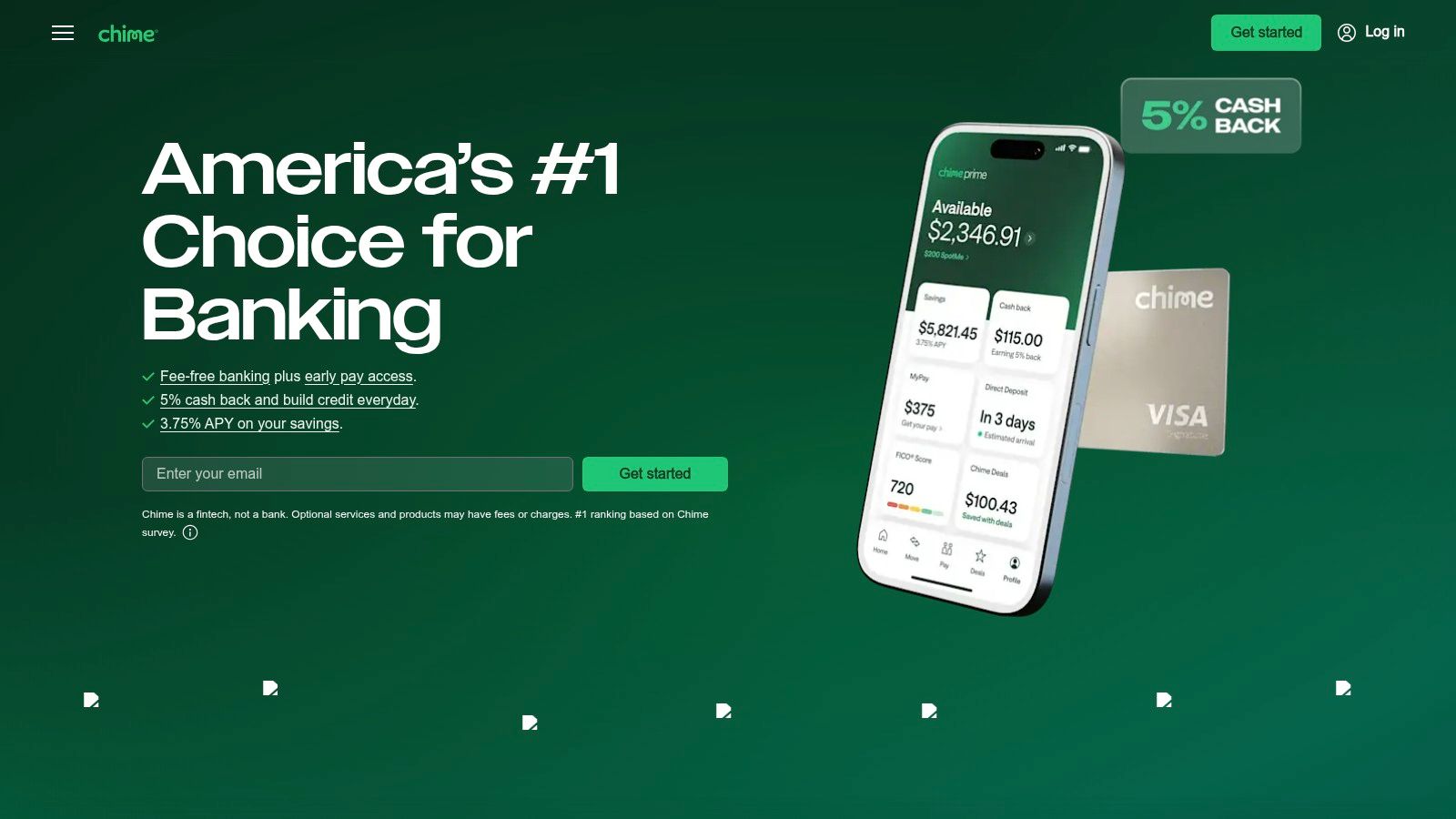
The tradeoff is simple. You need a Chime Checking Account to open the savings account, and its APY is tiered and eligibility-based, so it is not as straightforward to compare as a plain high-yield account. That makes Chime a better fit for beginners and automation-first savers than for rate chasers who want the cleanest possible yield comparison. If you want an app that helps you save without much effort, start with Chime and use its automation tools to build a routine.
<a id="6-qapital"></a>
6. Qapital
Qapital fits people who want behavior design in their savings app. Its subscription starts at $6 per month after a 30-day free trial, so you should treat it as a paid habit-building tool, not a free place to park cash. If you want a savings app that actively shapes your money habits, Qapital deserves a close look.
The app's customizable Rules engine turns saving into an active, behavior-driven process. You can set up roundups, paycheck divvying, and activity-based triggers so money moves automatically in response to the way you already spend and earn. That makes Qapital a strong choice for anyone who needs motivation built into the system, not just a transfer button.
Qapital is also a smart pick for couples and households that want shared goals. Saving becomes visible and collaborative, which helps both people stay involved instead of one person carrying the whole plan. For a trip fund, a house fund, or any shared target, that structure keeps the goal front and center.
The app includes a spending account and debit card, so it behaves more like a behavioral finance setup than a plain savings bucket. That flexibility is its main strength. You can tie rules to daily habits and let the app respond to your routine instead of relying on willpower.
<a id="best-for-people-who-need-a-system"></a>
Best for people who need a system
The fee matters. For very small balances, $6 per month after a 30-day free trial can feel expensive, especially if you also keep a separate high-yield account for parked cash. Qapital makes the most sense when you value the habit layer enough to pay for it, while using another savings product for the money you want to hold and grow.
Qapital is the right pick if you want saving to feel active and visible, especially if you are managing goals with a partner. Beginners who need structure, and households that want shared progress, will get the most out of it. If your priority is earning the strongest rate on idle cash, choose a traditional high-yield account instead.
<a id="6-qapital-1"></a>
6. Qapital
Qapital fits people who want behavior design built into their savings routine. Its core feature is a set of customizable Rules, including roundups, paycheck divvying, and activity-based triggers, so money moves automatically in response to habits you already have. For users who need motivation built into the process, that setup works better than a plain transfer tool.
Couples and households get a real advantage here. Qapital supports shared goals, which makes saving visible and collaborative instead of leaving one person to manage everything alone. For a trip fund, a house fund, or any larger shared target, that structure keeps both people engaged and accountable.
The app also includes a spending account and debit card, so it functions like a behavioral finance system with more moving parts than a simple savings bucket. That flexibility is the point. You can set rules around daily habits and let the app react to your routine rather than counting on willpower.
<a id="best-for-people-who-need-a-system-1"></a>
Best for people who need a system
The monthly subscription is the tradeoff, and it is listed at $6 per month after a 30-day free trial. That cost makes less sense if you are only saving small amounts, especially if you already keep parked cash in a separate high-yield account. Qapital works best alongside another savings product, with Qapital handling the habit layer and the other account holding money you want to keep growing.
Qapital is the right pick for commuters, busy households, and beginners who want saving to feel active and visible every day. It is not the cheapest option, but it is one of the strongest if you want a guided system and shared progress. If you want that kind of structure, go to Qapital.
<a id="7-acorns"></a>
7. Acorns
Acorns is the best choice for beginners who want to save and invest at the same time without making big decisions up front. It uses Round-Ups and recurring contributions to turn small amounts into automated investing, which makes it feel like a low-friction entry point for people who are just starting out. If you've been sitting on the fence between savings and investing, Acorns is the cleanest bridge between the two.
The app's value is predictability. It bundles investing, retirement, and family features into plan tiers with flat monthly pricing, so the experience feels easy to understand. For new users, that matters because there's no need to calculate a variable fee structure every month.
Acorns is especially good for people who want to build a habit without starting with a lump sum. The platform turns everyday spending into a routine contribution stream, and that's often the hardest part of beginning. If the main barrier is getting started, Acorns removes that friction.
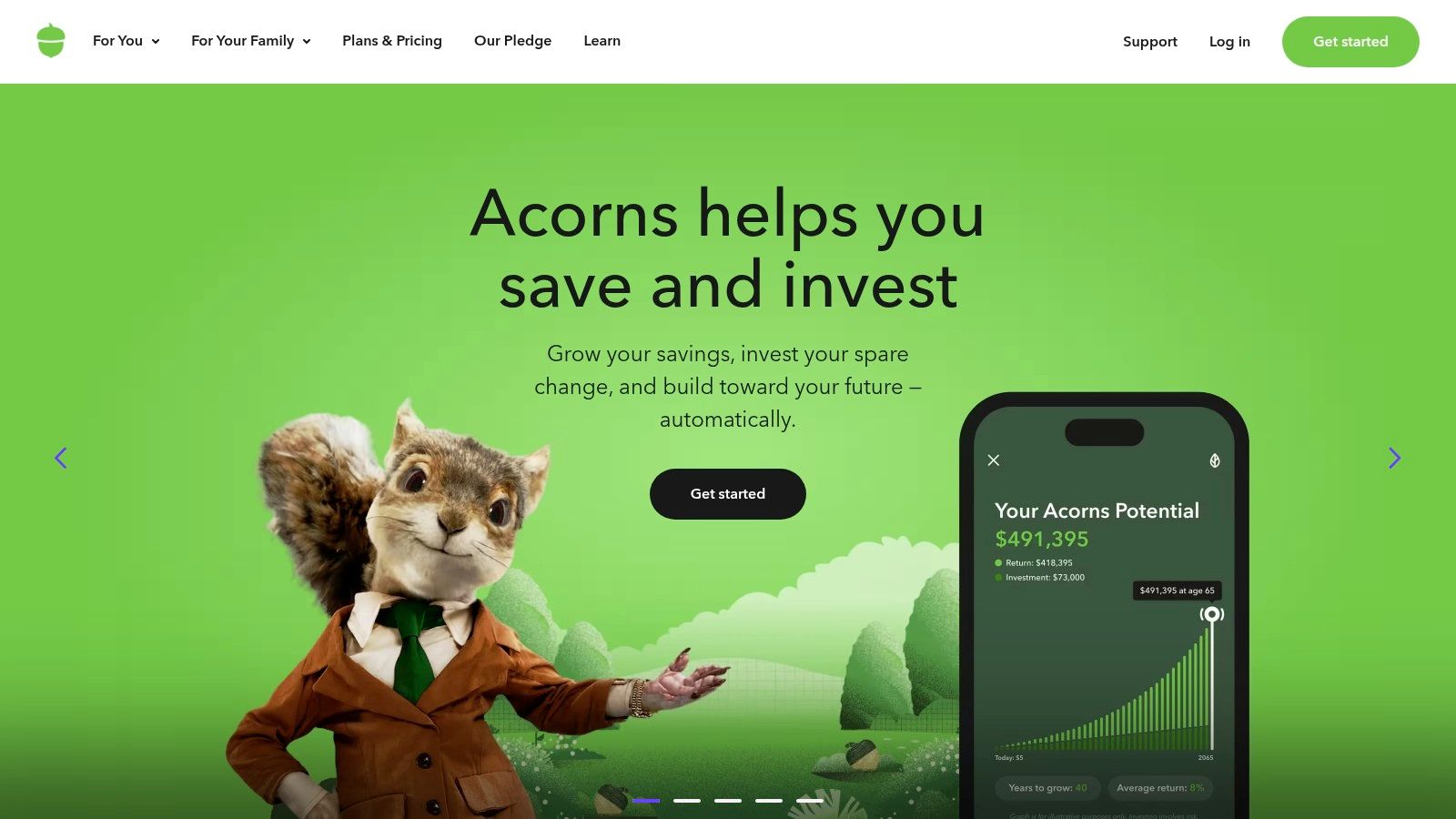
The tradeoff is that this is investing, not a traditional savings account, so market risk applies. It also uses flat monthly pricing of $3, $6, or $12 depending on the plan, which can feel expensive if you only keep a tiny balance. That makes it best for beginners who want a simple path into long-term growth, not for people who need a pure cash parking place. If that sounds right, start with Acorns.
<a id="top-7-savings-apps-comparison"></a>
Top 7 Savings Apps Comparison
| Product | Implementation complexity 🔄 | Resource requirements ⚡ | Expected outcomes ⭐📊 | Ideal use cases 💡 | Key advantages ⭐ | |---|---:|---:|---|---|---| | AIR.POG | Low, install PWA, grant location access | Low, phone GPS, mobile data, optional account | ⭐ Real‑time, location‑aware deal discovery; coverage varies by area 📊 | Drivers, commuters, travelers, students, bargain hunters on the go | Real‑time proximity deals, one‑tap routing, lightweight drive‑first UI | | Ally Bank – Ally Mobile | Low, online signup and app use | Standard bank onboarding (ID, linked accounts); no maintenance fees | ⭐ Goal‑based savings growth with automated deposits 📊 | Savers who want segmented goals and strong automation | Buckets + Boosters automation, daily compounding, 24/7 support | | Marcus by Goldman Sachs – Marcus app | Low, straightforward online account opening | ID, bank links; no fees or minimums | ⭐ Competitive APY and reliable transfers; simple savings growth 📊 | Rate‑focused savers who prefer a simple, reputable product | High advertised APY, no fees, same‑day transfers (qualifying) | | Chime – High‑Yield Savings | Low–Medium, must open Chime checking first | Mobile app, payroll or card links; FDIC via partners | ⭐ Automated habit building with variable APY tiers 📊 | Mobile‑first users wanting set‑and‑forget autosave | Round Ups, Save When I Get Paid, unlimited goals, large user base | | Raisin (US) – Savings marketplace | Medium, marketplace account + open/manage partner accounts | Multiple partner accounts, transfers; personal tax documents | ⭐ Access to top rates across many institutions; increased admin 📊 | Rate chasers who want broad market access without juggling logins | Single portal to 100+ FDIC/NCUA partners; no consumer fees | | Qapital | Low, app signup and rule setup; subscription | Monthly fee ($); bank linking; optional debit card | ⭐ Behavior‑driven automated savings and goal progress 📊 | Users wanting flexible, gamified automation and shared goals | Highly flexible rules engine, shared goals, motivational UX | | Acorns | Low, app install, link card/accounts, choose plan | Monthly flat subscription tiers; bank/card links | ⭐ Micro‑investing growth from spare change; subject to market risk 📊 | Beginners preferring automated investing over cash savings | Round‑Ups to invest, bundled retirement/family plans, predictable pricing |
<a id="which-savings-app-is-right-for-you"></a>
Which Savings App Is Right for You?
Choosing the best savings app depends on what you want your money to do. If you want active, on-the-go savings, AIR.POG is the clear winner because it helps you catch live nearby deals instead of sitting on parked cash. If you want a traditional place to store money with strong goal structure, Ally is the better fit than a more complex app.
For rate chasers, Marcus and Raisin are the strongest choices. Marcus gives you a simple, focused savings account, while Raisin gives you a marketplace across many institutions, which is better if you like comparing deposit products and chasing the best available offers. If you want your savings habits to run in the background, Chime and Qapital are the better picks, with Chime leaning into effortless automation and Qapital leaning into rule-based behavior design.
Beginners should pick based on comfort level. If you want to stay in cash, start with Ally or Marcus. If you want to ease into investing, Acorns is the most approachable bridge. If you want a tool that finds savings while you're moving through your day, AIR.POG sits in a category of its own, because it doesn't just manage money, it helps you find money-saving opportunities in real time.
The best move is to stop comparing forever and choose one app that matches your actual habit. Open the one that fits your goal, set it up today, and let it start doing the work you've been putting off.
If you want savings that happen while you're already on the move, AIR.POG turns nearby deals into instant action. It's built for commuters, travelers, and everyday bargain hunters who want live, location-based savings without the noise of static coupon lists. Visit it now and see how active savings can fit into your routine.
Spread the word — every share brings more POG'rs to the map. 🎯
Got a story or tip?
