 For Everyone
Proximity Marketing App: How Local Deals Discover Itself
by AIR.POG Team
You're already doing the thing proximity marketing is built for, driving, wandering, or trying to make a quick decision while the world keeps moving. The hard part isn't wanting a deal, it's knowing where to stop before you've passed it, missed it, or forgotten it existed by the next exit. A proximity marketing app turns that scattered, last-minute search into a live map of nearby opportunities, so the deal shows up where you are instead of asking you to hunt across random coupon pages.
Table of Contents
- The Missed Opportunity on Your Daily Drive
- How Proximity Marketing Apps Actually Work
- Key Features That Define Modern Discovery Apps
- Proximity Apps vs. Traditional Coupon Engines
- The Business Case and Privacy Balance
- Getting Started - Setting Up Your First Discovery
<a id="the-missed-opportunity-on-your-daily-drive"></a>
The Missed Opportunity on Your Daily Drive
You've felt this before. You're halfway home, hungry, and trying to keep your attention on the road while your phone is full of tabs, store sites, and expired promo pages. Ten minutes later, you realize you passed a place that had exactly what you wanted, only you didn't see it in time.
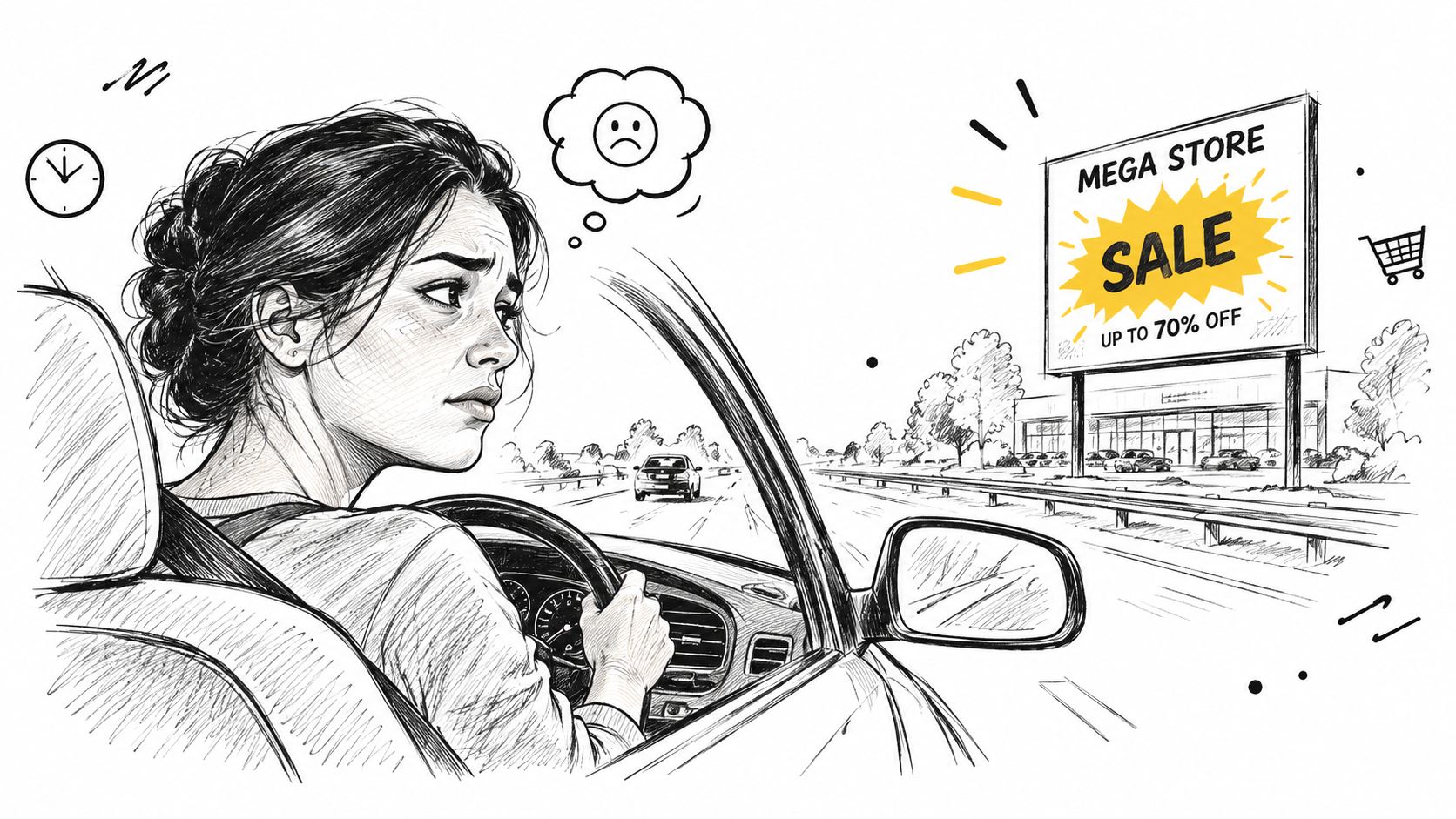
That gap between being near something and knowing it matters right now is what proximity marketing tries to close. A proximity marketing app doesn't wait for you to search by brand, category, or zip code. It watches for context, then surfaces nearby offers while you're still in range, which is a much better fit for driving, errands, or exploring an unfamiliar neighborhood.
<a id="from-searching-to-discovering"></a>
From searching to discovering
Traditional deal hunting makes you do all the work. You open one site for coupons, another for maps, another for navigation, and another for store hours, then try to stitch them together while your attention keeps breaking apart.
A proximity-first flow is simpler. The app shows live nearby promotions on a map, and you can decide in seconds whether a stop is worth it. That shift matters because the problem isn't just finding a discount, it's finding it in time to use it.
Practical rule: if a deal can't be understood fast enough to act on during a commute or quick stop, it's too slow for proximity use.
The historical reason this works is simple. Location-based tools moved from broad marketing ideas to real-world, everyday behavior as people got used to sharing where they were, and as mapping became part of normal app use. The result is a consumer habit that feels natural now, nearby things should appear nearby on screen too, not buried in a list.
<a id="how-proximity-marketing-apps-actually-work"></a>
How Proximity Marketing Apps Actually Work
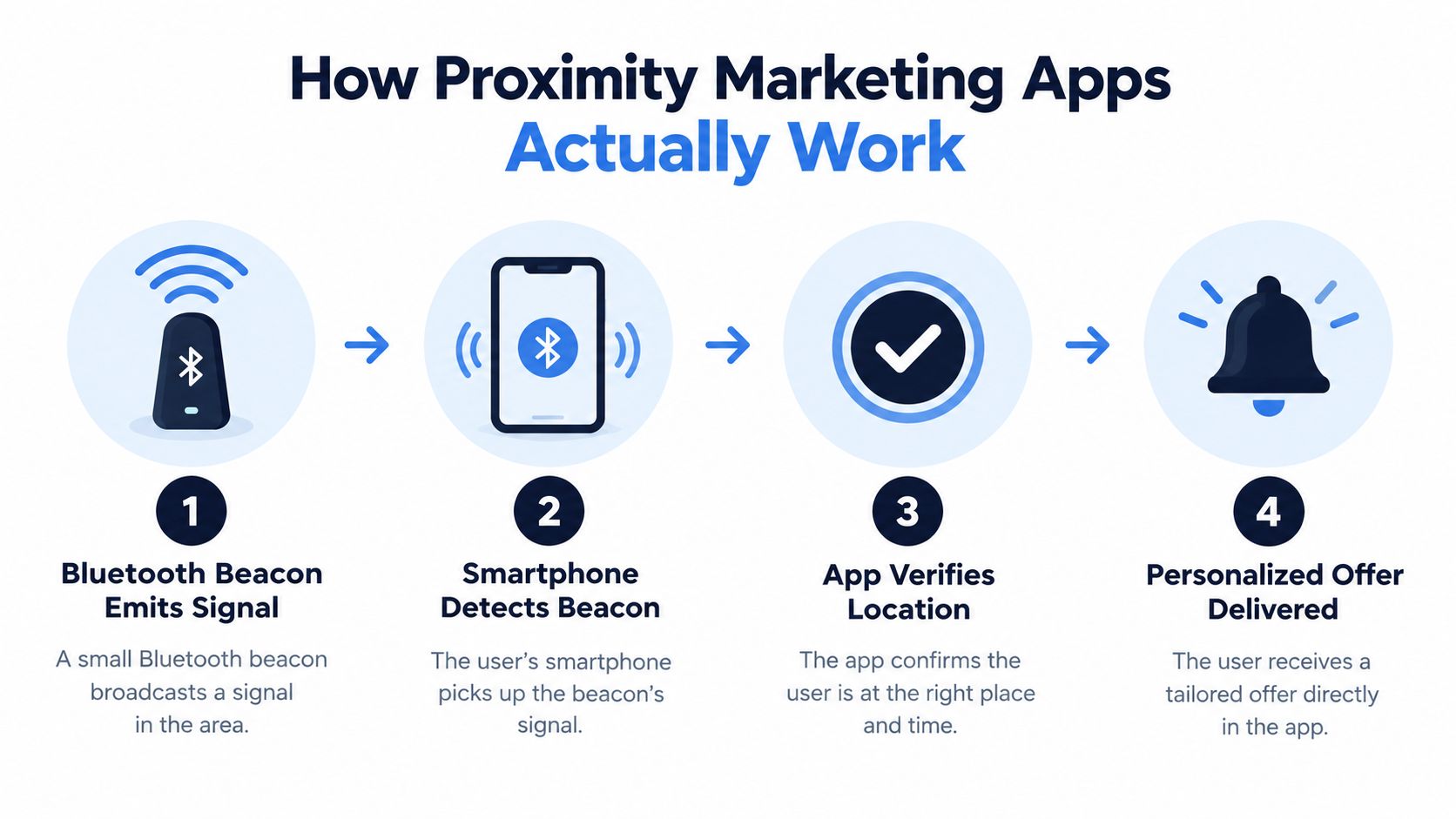
A good proximity marketing app feels like a digital concierge. It doesn't just show a pin on a map, it uses location signals to decide whether to surface a deal, a route, or a prompt that fits the moment you're in.
<a id="the-simple-version-of-the-stack"></a>
The simple version of the stack
At the broadest level, the app needs to know three things, where you are, what's nearby, and when to interrupt you with something useful. Geofencing handles the outer boundary, like a virtual fence around a store, a mall, or a neighborhood. Bluetooth Low Energy beacons help when you're indoors or close to a specific place and GPS gets fuzzy.
Open map data matters too. CARTO's basemap terms say its basemap services are derived from OpenStreetMap data, and that attribution to both OpenStreetMap and CARTO must stay visible on the map, legible, and not hidden behind a click. That's why map-based discovery apps can feel polished and still stay grounded in real geographic data.
When the app sees a match, it triggers the right action. That might be a notification, a route suggestion, or a deal card tied to the place you're near. The point is not to flood your phone, it's to make the moment useful enough that you don't need to keep searching.
<a id="why-that-matters-on-the-road"></a>
Why that matters on the road
The best systems behave differently depending on context. Driving calls for larger touch targets and fewer steps. Walking in a city calls for a tighter radius and richer local detail. Entering a venue calls for indoor precision, where beacon signals can help more than wide-area location alone.
Helpful shortcut: a proximity app should feel calmer the closer you are to the destination, not louder.
For the map layer, deal map guidance is a useful way to think about the workflow, because the map is doing more than decorating the screen. It's the surface where discovery, routing, and timing all meet.
<a id="key-features-that-define-modern-discovery-apps"></a>
Key Features That Define Modern Discovery Apps
A lot of deal apps still behave like spreadsheets with icons. They give you long lists, generic categories, and search filters that look helpful until you're trying to decide at a stoplight or in a parking lot. A modern proximity marketing app should do something much more focused, it should reduce thinking, not add to it.
<a id="map-first-beats-list-first"></a>
Map-first beats list-first
A map-first interface matters because it mirrors how people move through the real world. If you're driving, you think in terms of exits, turns, and nearby places, not endless coupon feeds. A live map helps you answer the only question that matters in the moment, “What's close enough to stop for?”
That's where routing becomes part of discovery instead of a separate step. One tap should take you from offer to navigation, then another tap should open the offer details once you arrive or choose to inspect it. That flow feels small, but it removes the friction that makes people abandon app use in the first place.
<a id="discovery-features-should-match-real-life-habits"></a>
Discovery features should match real-life habits
Short-form browsing works better than giant directories for quick decisions. A feed like POG REELS can surface time-sensitive local offers in a format people already understand from other mobile experiences. A browsable index like POG'ODEX serves a different need, organizing entries for users who want to look around without relying only on the map.
Installability matters too. Progressive Web Apps can be added from a browser to the home screen, and when the site is a true PWA, that action installs the app on the device rather than creating a bookmark. MDN's installation guidance notes that installed PWAs can appear in the launcher, home screen, start menu, or launchpad, which makes them practical for quick access on mobile and desktop alike. PWA installation guidance
The technical side also has real usability consequences. A valid manifest, HTTPS, and a registered service worker are not trivia, they're what make the app feel responsive and trustworthy. A PWA performance guide also claims faster load times and quick repeat visits when caching is set up properly, which is exactly the kind of thing that matters when someone is deciding whether to stop now or keep driving.
Consumer takeaway: if the app loads slowly, hides the map, or makes routing feel detached from the offer, it's solving the wrong problem.
Coupon finder app style tools can help you compare what's out there, but the true test is simple, does the product help you act while you're still nearby?
<a id="proximity-apps-vs-traditional-coupon-engines"></a>
Proximity Apps vs. Traditional Coupon Engines
Traditional coupon engines are built around storage and search. They collect codes, organize categories, and let you browse until something catches your eye. A proximity marketing app is built around timing, it tries to show you the right deal while you're already near it.
| Feature | Traditional Coupon App | Proximity Marketing App | |---|---|---| | Freshness of offers | Often feels static, with long lists and older codes | Focuses on live, nearby promotions | | How you browse | Search first, then filter | Map first, then route or inspect | | Fit for driving | Harder to use safely in motion | Designed for quick glance decisions | | Connection to navigation | Usually separate from maps | Built to bridge discovery and routing | | Local relevance | Broad, often based on generic categories | Contextual, tied to where you are now |
The biggest difference is not visual, it's behavioral. In a coupon app, you decide what to search for first. In a proximity app, location helps narrow the choice before you have to think hard. That means less effort when you're tired, in a new city, or just trying to make one clean stop on the way home.
<a id="why-this-matters-for-daily-life"></a>
Why this matters for daily life
If you're traveling, local context is everything. A generic coupon list doesn't tell you whether there's something useful two minutes off your route. A proximity app can show nearby options on the map, which makes it easier to stop once and avoid extra detours.
If you're shopping with limited time, the difference is even sharper. A static engine might surface a bargain you can't reach before the store closes. A live, location-aware app can help you judge whether the stop is realistic before you leave the road you're on.
The user experience also changes the emotional side of deal hunting. Static lists create fatigue. Map-based discovery feels more like orientation, which is easier to trust when you're in motion and don't want a second full search session.
<a id="the-business-case-and-privacy-balance"></a>
The Business Case and Privacy Balance
Retailers like proximity marketing because it makes offer timing more relevant, and the data supports that business logic. Industry reports indicate that by 2015, 46% of U.S. retailers had launched proximity marketing programs, up from 15% in 2014, and that 59% of consumers reached through these tools were more engaged while at the shopping location, according to the market report linked here. Retail proximity adoption data
For consumers, though, engagement only feels good if the app respects boundaries. That's where privacy becomes part of product design, not just policy text. A trustworthy app should make it clear how location is used, whether it's stored, and whether it's shared beyond the immediate experience.

<a id="what-users-should-look-for"></a>
What users should look for
A privacy-respecting app should be easy to understand even before you grant access. If it asks for location, the reason should be obvious, like showing nearby deals or helping route you to a store. If the app keeps asking for more permissions than it needs, that's a red flag.
It also helps when the app limits the life of the data it uses. Location should support the immediate task, not become a vague profile that follows you around forever. That design choice builds trust because the value exchange stays obvious, you share context, and the app returns a useful nearby result.
The privacy conversation isn't theoretical either. Consumers are getting more cautious about location data, and location-based marketing research keeps pointing to trust as a central issue. That's why a strong FAQ matters, especially around how often data is stored, whether it's sold, and what happens when you browse versus interact.
After the main experience, the video below is useful if you want a visual sense of how location-aware journeys can be framed in product terms.
<iframe width="100%" style="aspect-ratio: 16 / 9;" src="https://www.youtube.com/embed/V853jwJjYiU" frameborder="0" allow="autoplay; encrypted-media" allowfullscreen></iframe>Location-based coupons guide can help clarify how offer delivery and privacy expectations meet in practice, especially when the product is trying to feel helpful instead of invasive.
Bottom line: users don't mind location when the value is immediate, specific, and easy to understand.
<a id="getting-started-setting-up-your-first-discovery"></a>
Getting Started - Setting Up Your First Discovery
Start by opening the app in a browser and adding it to your home screen. When a site is a true PWA, that install makes it act like an app rather than a bookmark, which matters if you want quick access before a drive or while you're already out running errands. That same install flow also makes it easier to return without digging through tabs later.
Next, set the area you want to search. A tighter radius helps when you're only looking for the nearest stop, while a wider one is better if you're planning ahead for a longer route or exploring a new city. If the app lets you adjust the current city, use that when you're traveling so the map matches where you really are.
A good first session is simple. Open the map, pick one nearby offer, route to it, and see how quickly the details open after you arrive. If the app includes an assistant like Ask AIR.POG, use it for fast questions instead of bouncing between pages.
Small habit, big payoff: keep the experience short at first, then expand the radius only after you know the map feels useful.
You're not trying to replace every shopping habit at once. You're turning the moments between home, work, and errands into chances to notice something relevant before you pass it.
AIR.POG surfaces live nearby promotions on an interactive map and guides you to them with a quick tap-to-route flow. If you want a deal search that works while you're driving, traveling, or exploring somewhere new, visit AIR.POG and see how proximity-based discovery feels in practice.
Spread the word — every share brings more POG'rs to the map. 🎯
Got a story or tip?
