 For Everyone
Finding Nearby Hotel Deals That Actually Work
by AIR.POG Team
You're two hours from your destination, the light is fading, and the hotel you planned to use has jumped in price. You pull into a fuel stop, open three booking apps, and start comparing rates that look close enough until taxes, parking, and a long detour turn the “deal” into an expensive interruption.
I've tested enough last-minute booking shortcuts to know the cheapest room isn't automatically the smartest stop. Nearby hotel deals work when the property fits your route, arrival time, and actual travel needs. A lower rate that sends you across town can cost more in fuel, time, and stress than a slightly higher room beside the next highway exit.
Mobile behavior supports this route-first approach. Expedia reported that nearly 70% of users booking through its mobile app were traveling within 24 hours, while many mobile hotel bookings were located within a 10-mile radius of the user's current position, as described in its report on mobile travel habits. The practical lesson is simple: search from where you are, then judge every rate as a possible waypoint.
Table of Contents
- Why Nearby Hotel Deals Are a Route Problem, Not a Search Problem
- Set Up Your Phone for One-Tap Deal Discovery
- Finding Deals Within a Driving Radius
- When to Book and When to Wait on a Nearby Hotel
- Reading the Deal Without Falling for the Headline Price
- Turning a Nearby Deal Into an Actual Stop
- FAQ on Finding Nearby Hotel Deals
<a id="why-nearby-hotel-deals-are-a-route-problem-not-a-search-problem"></a>
Why Nearby Hotel Deals Are a Route Problem, Not a Search Problem
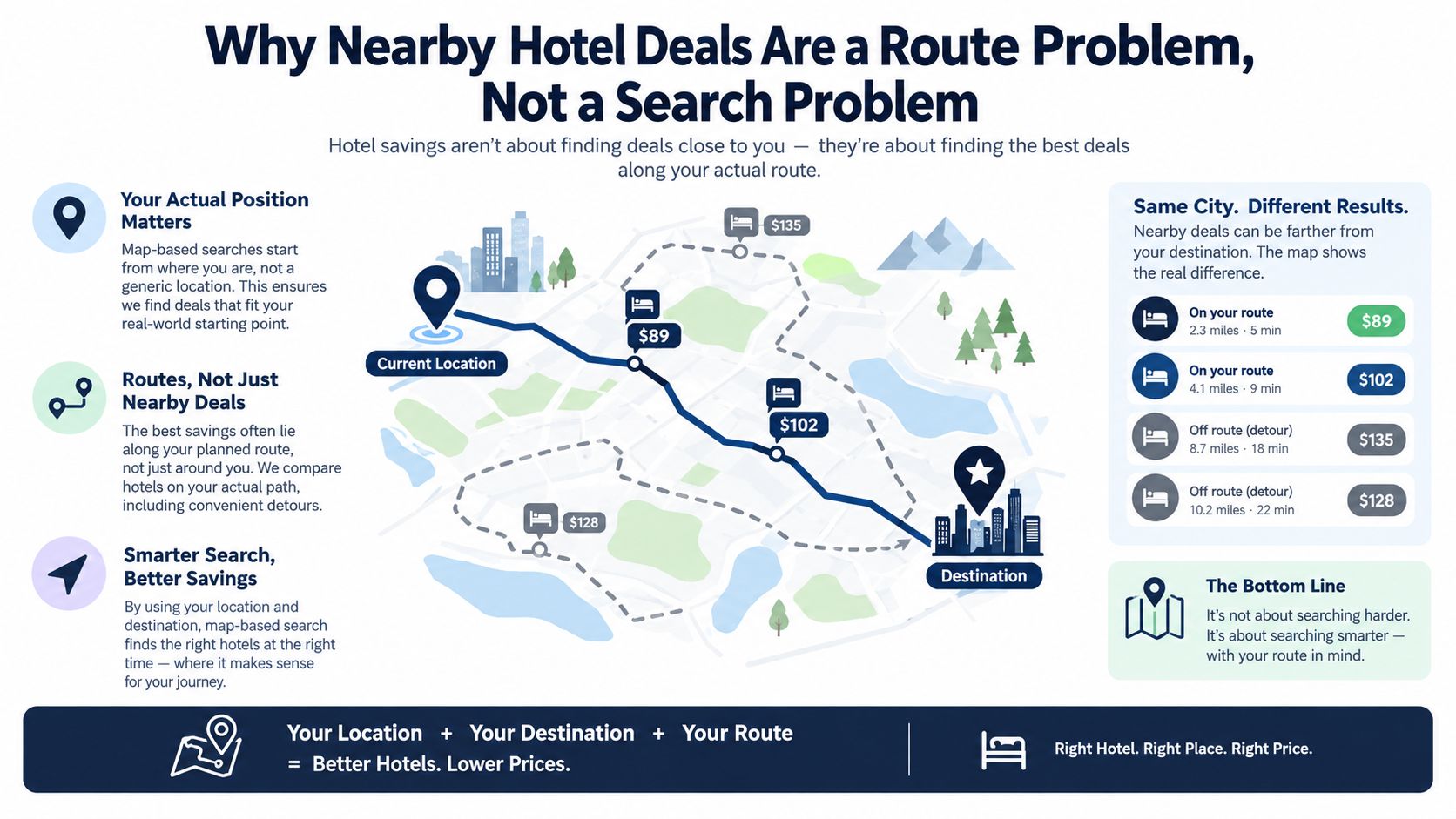
A hotel deal is a geometry problem before it's a pricing problem. You need to know where you are, where you're going, and how much detour you'll tolerate before you decide whether a room is genuinely cheap.
Generic deal feeds ignore that geometry. They may show a low rate in a city you've already passed, a property on the wrong side of a divided highway, or a hotel that adds an hour to tomorrow's drive. A map-based search exposes the options that sit near your actual corridor, including properties just beyond an exit where unsold rooms may be competing for the same late-arriving guests.
<a id="start-with-the-route-not-the-room"></a>
Start with the route, not the room
Open the map at your current location and identify the next useful stopping zones. Look for clusters near highway interchanges, airport approaches, suburban commercial strips, and secondary city centers. These areas often give you more choice than a downtown search, while keeping the stop connected to the road you're already using.
AIR.POG illustrates this map-first method through its deal map for nearby offers, plotting opportunities geographically rather than sorting them as an alphabetical list. The same principle works with ordinary map and booking tools. First locate the candidate stop, then inspect its price, terms, and route.
Road-trip rule: A deal only counts if it fits the route, the fuel budget, and the arrival window.
Before you tap Book, answer three questions:
- How far is the property from your route? Check the exit and the side of the highway.
- How much drive time does the stop add? Measure the full detour, not just the map distance.
- Can you check in when you'll arrive? Confirm front-desk hours, late arrival instructions, and payment requirements.
This approach eliminates the most common false bargain, a cheap room that makes the entire journey harder.
<a id="set-up-your-phone-for-one-tap-deal-discovery"></a>
Set Up Your Phone for One-Tap Deal Discovery
Most drivers think last-minute hotel hunting starts when they feel tired. That's too late. The winning setup happens before you leave, because a phone configured for location, routing, and payment can turn a stressful search into a short decision.
Enable location access with the broadest permission you're comfortable using, especially if you want nearby alerts while moving between towns. “While using” access can limit background updates, so check the behavior on your device before relying on automatic location-based discovery. AIR.POG's add-to-home-screen guide for iOS explains how a progressive web app can stay easy to launch without a traditional app-store download.
<a id="build-a-practical-booking-stack"></a>
Build a practical booking stack
Sign in to at least two major booking apps and one hotel-chain app you use. Chain apps can expose member rates or direct inventory, while booking marketplaces provide broader local coverage. Save a payment method in each account, but keep your phone protected with its normal device security.
Download offline maps for the entire driving corridor. A booking confirmation is useful only if you can still reach the property after a weak-signal stretch, and offline navigation gives you a fallback when the final exit is poorly marked.
Save your preferred brands, room type, pet setting, parking requirement, and breakfast preference. Pre-set filters reduce the number of unsuitable properties that appear when you're stopped at a fuel station or passenger is searching for you.
<a id="keep-alerts-useful"></a>
Keep alerts useful
Price-drop notifications help only when they're relevant. Limit them to a tight radius around your route or the next stopping zone, rather than allowing every hotel alert in a large region. Otherwise, your phone becomes a stream of offers you can't realistically use.
Run this 60-second departure check:
- Location: Confirm permission and accuracy.
- Maps: Confirm offline coverage for the corridor.
- Accounts: Open the booking and chain apps once.
- Payment: Verify the saved card and billing details.
- Filters: Check parking, pets, breakfast, and room preferences.
- Alerts: Restrict notifications to the route area.
The point isn't to install everything. It's to remove friction before fatigue makes every extra tap feel expensive.
<a id="finding-deals-within-a-driving-radius"></a>
Finding Deals Within a Driving Radius
Set the search radius before you start browsing. If you open an app first, a low price can tempt you into widening the search far beyond what your journey can absorb.
I start with a 25-mile radius from the route, not from the city center. That gives enough room to find highway-adjacent inventory without treating the whole region as fair game. If the map is thin, expand toward 50 miles, but only after checking the additional drive time and exit logic.
<a id="use-the-radius-as-a-decision-control"></a>
Use the radius as a decision control
Map tools with adjustable scanning areas make this easier. AIR.POG, for example, lets users widen or narrow the scanning radius, so you can expand in 5-mile increments instead of jumping from a local search to an entire metro area. Stop expanding when you see at least three properties that meet your basic requirements.
Search “tonight” when you need a room immediately. Use flexible dates only when your schedule can genuinely move, because flexible-date results can surface attractive prices that don't apply to the night you'll arrive.
Highway exits create different deal patterns from city-center searches. A downtown map may prioritize walkability and attractions, while an interchange search highlights parking, access, and fast re-entry onto the road. Pick the map context that matches your stop.
| Radius from Route | Typical Inventory | Avg. Discount Depth | Best Use Case | |---|---|---|---| | 25 miles | Hotels near the current corridor and major exits | Qualitatively moderate | Fast stops with limited detour | | 50 miles | Wider suburban, airport, and secondary-market inventory | Qualitatively deeper when local supply is thin | Sparse corridors or event-driven demand | | Beyond 50 miles | Multiple towns and competing travel markets | Unpredictable | Only when the route itself is flexible |
Treat map shading as a market clue, not a promise. A dense cluster of similar properties can signal competition, while a cheaper sub-market a short distance away may offer better value if the route remains practical.
Don't chase a rate across a state line without checking the final cost. Taxes, parking rules, pet policies, and local restrictions can change, wiping out the apparent saving.
<a id="when-to-book-and-when-to-wait-on-a-nearby-hotel"></a>
When to Book and When to Wait on a Nearby Hotel
The right booking moment depends on inventory pressure and your remaining route flexibility. Hotel searches made close to arrival are becoming more common. Global data shows that searches within 28 days of arrival reached 38% of all hotel searches by Q4 2025, after rising from Q1 2023, according to recent hotel booking trend coverage. That makes late availability important, but it doesn't mean waiting always wins.
Midweek demand often behaves differently from weekend demand. Events, conferences, school schedules, and local concerts can push rates higher as the evening advances, especially when nearby competitors begin selling out. On an ordinary night, unsold rooms may become more negotiable later, but waiting until very late can leave you with poor location, strict terms, or no suitable room.
<a id="use-a-hold-and-recheck-strategy"></a>
Use a hold-and-recheck strategy
A refundable rate gives you control while you drive. Book a cancellation-friendly option once you're close enough that losing inventory would be costly, then recheck the map as your arrival becomes clearer.
| Time Before Arrival | Price Trend | Recommended Action | |---|---|---| | Several hours out | Mixed, with more room choice | Compare route fit and reserve a refundable option | | Two hours out | Can move as demand becomes visible | Recheck nearby properties and total cost | | Forty-five minutes out | Limited choice, sharper urgency | Keep the best reachable room unless a clear alternative appears | | After midnight | Cancellations may create isolated openings | Check only if you can safely continue and arrival rules allow it |
Recheck at two hours out and again at 45 minutes out if your route remains flexible. Prices are more likely to shift after cancellations or when a nearby competitor sells out. They're less likely to improve meaningfully when the area has a major event or when several properties already show limited availability.
The halfway point matters. If you're past it, book sooner because your practical options are narrowing. If you're still well short of it, you can wait while monitoring the corridor.
For a focused timing workflow, use this guide to the best last-minute deals. Don't treat waiting as a strategy by itself. Wait only when you've identified what would justify continuing.
<a id="reading-the-deal-without-falling-for-the-headline-price"></a>
Reading the Deal Without Falling for the Headline Price
The headline rate is a starting point, not the price you'll pay. A room that appears cheaper can lose its advantage once mandatory fees, parking, taxes, or cancellation restrictions enter the comparison.
Slow down for one minute and inspect the booking screen. Confirm whether the displayed amount includes taxes and resort fees, then check the cancellation cutoff in the property's local time. Same-day bookings can carry tighter rules than advance reservations, so don't assume the familiar free-cancellation language applies.
<a id="compare-the-complete-stay"></a>
Compare the complete stay
Use the same checklist for every candidate:
- Taxes and mandatory fees: Add them before comparing rates.
- Parking: Confirm whether self-parking is available, paid, or replaced by valet service.
- Breakfast and Wi-Fi: Check whether each is included, conditional, or an add-on.
- Cancellation: Read the exact deadline and refund terms.
- Room conditions: Verify bed type, occupancy, pet acceptance, and accessibility.
- Minimum stay: Look for asterisks that exclude a one-night arrival.
Member pricing can require a logged-in account. A “from” price may apply only to the cheapest date in the week, not tonight. A mobile-only rate may be legitimate, but you still need to compare its restrictions with a standard rate from the same property.
Price check: Add identical extras to each option before deciding which room is cheaper.
Suppose one room is advertised as $20 cheaper, then adds a $25 mandatory fee. It isn't a deal. The same principle applies to parking that costs more than expected, breakfast you assumed was included, or a cancellation window that forces you to keep an unusable reservation.
I've wasted more time chasing headline prices than I've saved by accepting a transparent rate. The reliable bargain is the one you can explain in a single sentence: total cost, usable room, reachable location, and terms that fit your schedule.
<a id="turning-a-nearby-deal-into-an-actual-stop"></a>
Turning a Nearby Deal Into an Actual Stop
Finding a low rate is only half the job. The stop becomes real when you can move from the map pin to the parking lot without retyping an address, missing an exit, or discovering that the front desk closed before you arrived.
Start with a tap-to-route check from your current position. Don't copy the hotel address into a second app unless necessary. A direct routing action reduces errors and shows the actual detour, traffic conditions, and entrance approach.
<a id="validate-the-arrival-details"></a>
Validate the arrival details
Call or inspect the property page before committing if arrival will be late. Check:
- Front-desk hours, especially if you'll arrive after 11 PM
- Late check-in instructions and identification requirements
- Whether a payment card is needed at arrival
- Self-parking availability versus valet-only parking
- Pet restrictions, fees, and room limitations
- Kid policies, occupancy rules, and bedding details
A property can be geographically close and still be a poor stop if its entrance sits on a frontage road, its parking garage closes overnight, or late arrivals must collect a key from a separate building.
Save the confirmation offline and send it to your passenger. Include the hotel name, exit number, phone number, cancellation deadline, and any access code. If your signal disappears, those details should remain available without another search.
<a id="protect-tomorrows-route"></a>
Protect tomorrow's route
Before booking, look beyond tonight. Estimate how quickly you can exit the property in the morning and compare that with the next day's driving plan. A hotel that saves money but adds an awkward local-road departure can cost more time than the room is worth.
A stop should shorten the night without stealing the morning.
The best nearby hotel deals function like route waypoints. You spot the opportunity, verify the detour, confirm the arrival logistics, and preserve the next move. That workflow beats scrolling through every available room because it connects the price decision to the journey you are making.
<a id="faq-on-finding-nearby-hotel-deals"></a>
FAQ on Finding Nearby Hotel Deals
<a id="when-should-i-check-the-map-for-a-last-minute-rate"></a>
When should I check the map for a last-minute rate?
Check when your arrival window becomes credible, then recheck as you approach the stopping zone. Don't search while driving. Pull into a safe location, use a passenger, or make the decision before departure.
<a id="how-far-should-i-widen-the-search"></a>
How far should I widen the search?
Begin with the nearest practical corridor and expand only when the inventory doesn't meet your needs. A wider radius is useful only if the added property can be reached without turning the stop into a separate trip.
<a id="are-mobile-only-deals-worth-trusting"></a>
Are mobile-only deals worth trusting?
They can be useful, especially for immediate travel, but read the terms exactly as you would for a desktop rate. Confirm the total, cancellation cutoff, parking, and room conditions before treating the mobile price as a saving.
<a id="how-do-same-day-cancellation-windows-work"></a>
How do same-day cancellation windows work?
They vary by property and rate. Look for the exact local deadline, not just a general cancellation label, and remember that a same-day booking may have a shorter window or become nonrefundable immediately.
<a id="what-should-i-do-when-a-deal-disappears"></a>
What should I do when a deal disappears?
Don't keep refreshing one listing. Return to the route map, check nearby exits, compare the full cost, and preserve your arrival requirements. A vanished rate is a prompt to evaluate the next viable waypoint, not to abandon the route.
<a id="how-do-i-confirm-that-the-hotel-is-actually-convenient"></a>
How do I confirm that the hotel is actually convenient?
Verify the highway exit number, entrance direction, parking arrangement, and routing time from your current position. Use a tap-to-route feature such as AIR.POG's route flow to test the detour before you commit, rather than judging convenience from straight-line proximity.
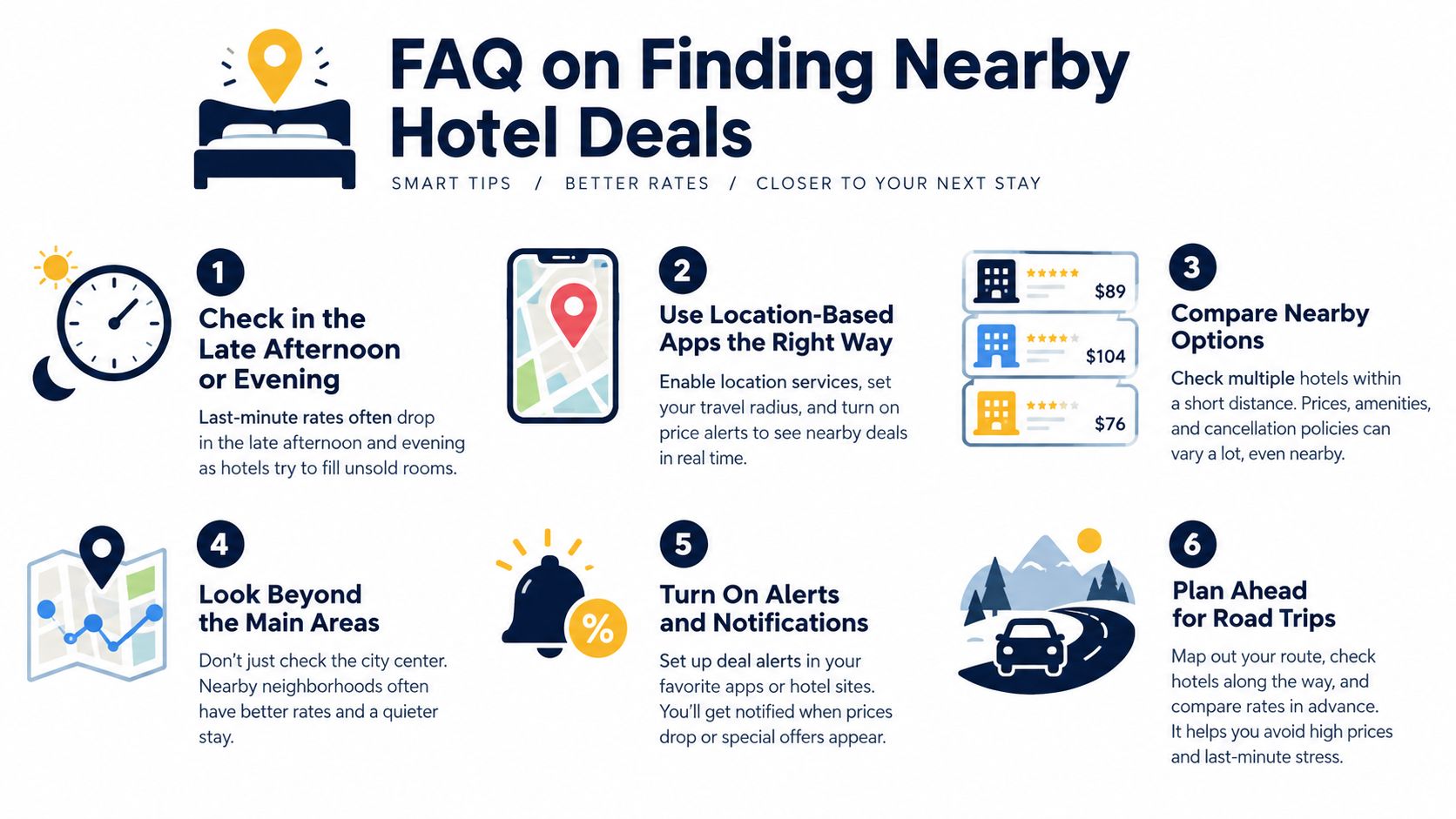
The map should answer more than “What's cheap?” It should show which room is reachable, usable, and compatible with the next leg of your drive.
<iframe width="100%" style="aspect-ratio: 16 / 9;" src="https://www.youtube.com/embed/YnjGt8YVJxU" frameborder="0" allow="autoplay; encrypted-media" allowfullscreen></iframe>AIR.POG puts live nearby deals on an interactive map and connects each find to a tap-to-route workflow, which suits road-trippers comparing hotels along an active corridor. Visit AIR.POG before your next drive, set your route area, and use the map to turn a plausible rate into a reachable stop.
Spread the word — every share brings more POG'rs to the map. 🎯
Got a story or tip?
